
How to Update Your Address in Voter ID Online After Moving to a New City
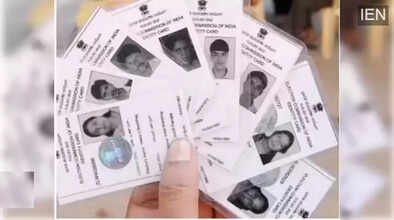
A Voter ID card is one of the most important identity documents for Indian citizens. Apart from confirming your eligibility to vote, it contains essential details such as your name, age, address, and registered constituency. Since voting rights are linked to a specific constituency, every voter is allowed to cast their vote only from the area where they are officially registered.
If you have recently shifted to a new city, town, or locality, it is necessary to update the address on your Voter ID card. Without updating this information, your name may remain on the electoral roll of your old constituency, which can prevent you from voting at your new place of residence. Thankfully, the Election Commission of India has made this process simple by allowing address updates through the National Voter Service Portal (NVSP).
Why Is It Important to Change Address in Your Voter ID?
Updating your address ensures that:
-
Your name appears in the correct electoral roll
-
You can vote from your current constituency
-
Your voter information remains accurate and up to date
-
You avoid confusion or rejection on polling day
-
You receive election-related information at the correct address
Whether you are moving within the same constituency or shifting to a different one, updating your voter details is a crucial step.
Who Can Apply for an Address Change in Voter ID?
Any registered voter who has changed their place of residence can apply for an address update. The request can be submitted:
-
For self
-
For family members, if required
The process is entirely online and does not require visiting an election office in most cases.
Step-by-Step Guide to Change Address in Voter ID Online
Follow the steps below to update your address using the NVSP website:
Step 1: Visit the National Voter Service Portal
Open any web browser and go to the National Voter Service Portal (NVSP).
Log in using your registered credentials.
If you are a new user, click on “Register Now” and create an account.
Step 2: Select the Address Change Option
After logging in, look for the option “Migration to another place.”
This option is specifically meant for voters who want to change their address.
Step 3: Choose Applicant Type
Select whether the address change is for:
-
Self, or
-
Family member
Choose the appropriate option and proceed.
Step 4: Specify Movement Type
Now select whether you are:
-
Moving within the same constituency, or
-
Moving outside the constituency
This selection helps the system update your electoral records correctly.
Step 5: Fill Form 6
Once selected, Form 6 will open on the screen.
You will need to enter details such as:
-
Current state and district
-
New residential address
-
Assembly constituency
-
Personal details like name, age, and contact information
-
Permanent and postal address
Make sure all information matches your official documents.
Step 6: Upload Documents and Submit
Upload:
-
A recent photograph
-
Address proof
-
Age proof (if required)
After filling in the self-declaration, enter the captcha code and submit the application.
What Happens After Submission?
Once your request is submitted:
-
You will receive an application reference number
-
Authorities will verify your details
-
After approval, your name will be updated in the new electoral roll
-
A new Voter ID card will be sent to your updated address
The processing time may vary depending on verification requirements.
Final Thoughts
Keeping your Voter ID updated is not just a legal responsibility but also a civic duty. With the online facility provided by the Election Commission, changing your address has become a hassle-free process. If you have moved to a new place, make sure to update your voter details well before the next election to exercise your right to vote without any obstacles.
