
How to Save and Share Audio from Instagram Reels: A Complete Step-by-Step Guide
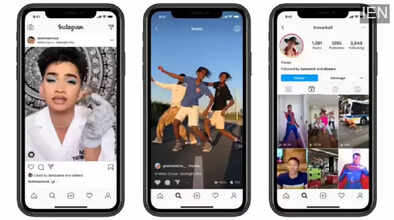
Instagram Reels has rapidly emerged as one of the most engaging features on the social media platform. Since its launch, Reels has attracted millions of users worldwide, especially in India after TikTok was banned. As users searched for an alternative to short-form video content, Instagram Reels quickly filled the gap by offering creative tools, trending music, and engaging effects.
Reels are short videos, usually up to 15 seconds, that allow users to express creativity through music, dialogues, voiceovers, filters, and visual effects. From dance trends to motivational clips and comedy videos, audio plays a crucial role in making Reels entertaining and viral. Often, users come across a Reel with an audio clip they really like and want to save it for later use or share it with friends.
Instagram makes this process simple by offering built-in options to save and share Reel audio directly within the app.
Why Saving Instagram Reel Audio Matters
Saving audio from Instagram Reels can be useful in several ways:
-
Helps users reuse trending sounds in their own Reels
-
Allows creators to follow viral audio trends
-
Makes it easy to share favorite music or dialogues with friends
-
Helps discover other videos created using the same audio
This feature is particularly helpful for content creators who want to stay relevant and increase engagement.
Important Requirement
Before you begin, ensure that your Instagram app is updated to the latest version. Older versions may not display the audio save or share options correctly.
How to Save and Share Audio from Instagram Reels
Follow these easy steps to save and share audio from Reels:
Step 1: Open the Reel
Launch the Instagram app and play the Reel that contains the audio you want to save.
Step 2: Tap on the Audio Name
Below the username of the creator, you’ll see the audio title. Tap on it to open the audio page.
Step 3: Save the Audio
On the audio page, tap the Save Audio button. The audio will be saved to your Instagram account for future use.
You can access your saved audio anytime by going to:
-
Profile > Menu > Saved > Audio
Step 4: Share via Direct Message
To share the audio with someone directly:
-
Tap the Direct Message icon at the top-right corner
-
Select the friend you want to send it to
-
Tap Send
Step 5: Share Using Copy Link
You can also share the audio outside Instagram:
-
Tap the three vertical dots next to the Direct Message icon
-
Select Copy Link
-
Paste the link on WhatsApp, Telegram, or any other messaging app
Things to Keep in Mind
-
Some audio tracks may be restricted due to copyright policies
-
If the original Reel is deleted, the audio may no longer be available
-
Features may vary depending on region and app updates
Conclusion
Instagram Reels is not just about watching videos—it’s about engaging with trends, sounds, and creativity. Knowing how to save and share audio from Reels enhances the overall user experience and helps users stay connected with trending content. Whether you are a casual viewer or a content creator, this feature makes discovering and sharing audio easier than ever.
