
How to Find Your UAN Number Easily: Step-by-Step Guide via EPFO Portal
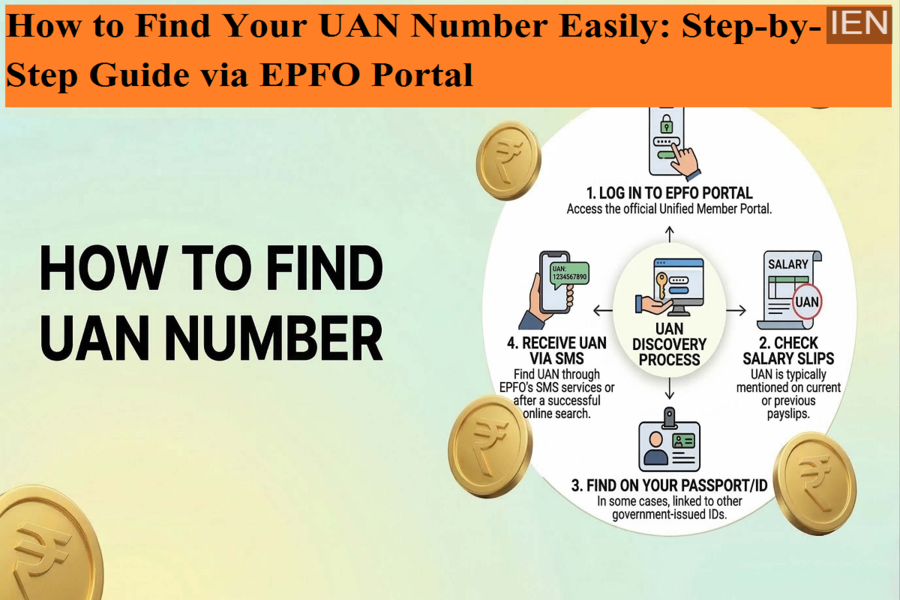
The Universal Account Number (UAN) is a crucial detail for every salaried employee enrolled under the Employees’ Provident Fund (EPF) scheme. It acts as a unique identifier that links all your PF accounts across different employers, making it easier to manage your savings.
However, many employees are unaware of their UAN or may lose access to it if it’s not available on their salary slip. If you are facing a similar issue, don’t worry—there are simple ways to retrieve your UAN online.
Here’s a complete guide to help you find your UAN quickly and easily.
What is UAN and Why is it Important?
The Universal Account Number (UAN) is a 12-digit number issued by the Employees’ Provident Fund Organisation (EPFO). It remains the same throughout your career, even if you switch jobs.
With UAN, you can:
- Check your PF balance online
- Track contributions from multiple employers
- Transfer PF accounts easily
- Access EPFO services digitally
Without UAN, managing your PF account becomes difficult.
Where Can You Find Your UAN?
In most cases, your UAN is mentioned on:
- Your salary slip
- PF statements
- Information provided by your employer
If you don’t have access to these, you can still retrieve your UAN through the EPFO portal.
Step-by-Step Process to Find UAN Online
Follow these steps to locate your UAN using the official EPFO website:
- Visit EPFO Member Portal
Go to the EPFO Member Services portal. - Click on ‘Know Your UAN’ Option
On the homepage, find and click the option labeled “Know Your UAN Status”. - Choose Identification Method
You can search your UAN using any one of the following:- Member ID
- Aadhaar number
- PAN number
- Enter Personal Details
Fill in the required information such as:- Full name
- Date of birth
- Registered mobile number
- Email ID
- Captcha code
- Request Authorization PIN
Click on “Get Authorization PIN”. - Verify OTP
You will receive an OTP on your registered mobile number. Enter it on the portal. - Accept Terms and Conditions
Tick the “I Agree” checkbox and proceed. - Validate and Retrieve UAN
Click on “Validate OTP”, and your UAN will be displayed on the screen. - Receive UAN via SMS
EPFO will also send your UAN to your registered mobile number via SMS.
Important Requirements
To successfully retrieve your UAN, ensure you have:
- A registered mobile number linked with your EPF account
- Any one of the following:
- Aadhaar
- PAN
- Member ID
Key Tips to Remember
- Always keep your UAN safe for future use
- Link your UAN with Aadhaar and bank details for full access
- Share the same UAN with new employers to avoid multiple accounts
- Activate your UAN after retrieving it to access EPFO services
Conclusion
Finding your UAN is now a simple and quick process thanks to EPFO’s online services. Even if you don’t have your salary slip or employer details, you can retrieve your UAN within minutes using basic personal information.
Make sure to activate your UAN after retrieving it so you can easily manage your PF balance and other related services without any hassle.
