
How to Change Your Photograph on Aadhaar Card: Complete Step-by-Step Process Explained
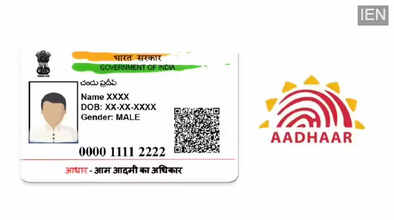
Aadhaar Card is one of the most important identity documents in India. Issued by the Unique Identification Authority of India (UIDAI), Aadhaar is a 12-digit unique identification number that contains both demographic details such as name, date of birth, and address, as well as biometric information including fingerprints, iris scans, and a photograph.
Over time, a person’s appearance can change due to age, health, or other factors. Many citizens feel that the photograph printed on their Aadhaar card no longer matches their current look. In such cases, UIDAI allows individuals to update their Aadhaar photograph. However, unlike address or mobile number updates, changing the photo cannot be done online and requires a visit to an Aadhaar Enrolment Centre or Aadhaar Seva Kendra.
Can You Change Aadhaar Photo Online?
Currently, UIDAI does not provide an online option to update the photograph on Aadhaar. This is because the photo is captured live at the enrolment center to maintain accuracy and prevent misuse. The new photograph is taken by a UIDAI-authorized operator using official equipment.
Who Can Apply for Aadhaar Photo Update?
Any Aadhaar holder can request a photo update, including:
-
Adults whose appearance has changed
-
Senior citizens
-
Individuals unhappy with the old photograph
-
Those whose Aadhaar photo is unclear or outdated
There is no age restriction for updating the photograph.
Documents Required for Aadhaar Photo Update
In most cases, no additional documents are required for photo update. Aadhaar number and biometric authentication are sufficient. However, carrying a copy of Aadhaar is recommended for reference.
Step-by-Step Process to Change Photograph on Aadhaar Card
Follow these steps carefully to update your Aadhaar photo:
Step 1:
Download the Aadhaar Enrolment/Correction Form from UIDAI’s official website.
Step 2:
Take a printout of the form and fill in the required details such as Aadhaar number, name, and the information you wish to update (photograph).
Step 3:
Locate your nearest Aadhaar Enrolment Centre or Aadhaar Seva Kendra using UIDAI’s official center search facility.
Step 4:
Visit the center with the filled form. Submit it to the Aadhaar enrolment executive.
Step 5:
Your identity will be verified using biometric authentication such as fingerprints or iris scan.
Step 6:
A new live photograph will be captured at the centre by the executive.
Step 7:
Pay a fee of ₹25 (plus GST) for the Aadhaar photo update service.
Step 8:
After submission, you will receive an acknowledgement slip containing the Update Request Number (URN).
Step 9:
Use the URN to check the update status online through UIDAI’s website.
Step 10:
Once the update is successful, you can download the updated e-Aadhaar or order a physical Aadhaar card.
How Long Does Aadhaar Photo Update Take?
The Aadhaar photo update process usually takes 7 to 14 working days, though it may take longer in some cases. You will be notified once the update is completed.
Important Points to Remember
-
Photo update cannot be done online
-
Only UIDAI-authorized centers can capture photos
-
Fee is non-refundable
-
Keep the acknowledgement slip safe
-
Status can be tracked using URN
Conclusion
Updating your photograph on Aadhaar Card is a simple and transparent process, provided you follow the official UIDAI procedure. Since Aadhaar is required for banking, government schemes, and verification purposes, having an accurate and recent photograph ensures smoother authentication. Visiting an Aadhaar Enrolment Centre and completing the update can help you keep your identity document up to date and error-free.
