
Holi 2026 Photo Ideas: Create DSLR-Style Festival Portraits Using Google Gemini AI Prompts
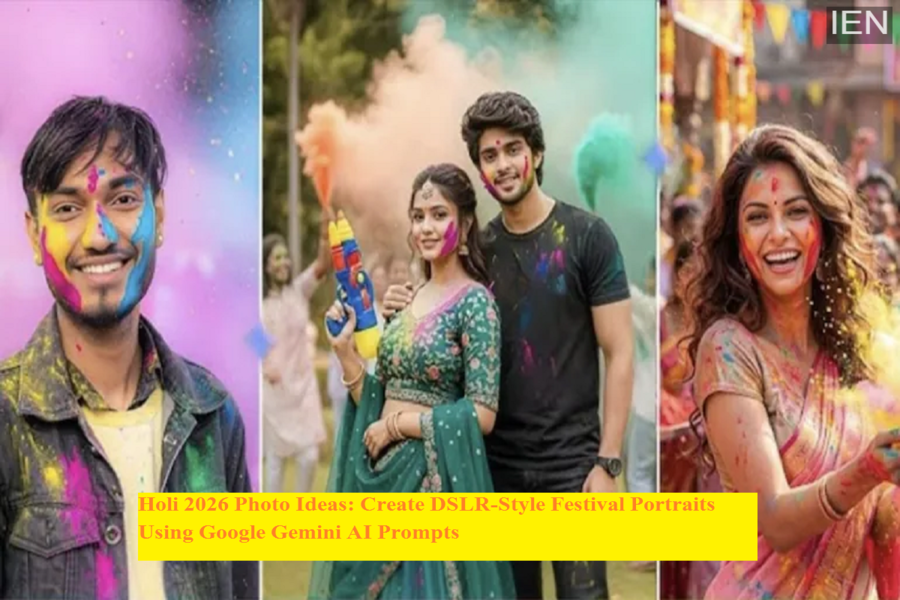
With the festival of colors approaching, preparations for Holi 2026 have already started across markets. Shops are witnessing rising demand for gulal, pichkaris, and festive accessories, while many people are planning to capture memorable moments with family and friends. In recent years, artificial intelligence–powered editing tools have become popular for enhancing photos, and one of the platforms gaining attention is Google’s Gemini.
Using carefully written prompts, users can generate or edit Holi photos that resemble professional DSLR portraits while preserving the natural look of the subject. These AI prompts help maintain facial identity, realistic colors, and festive emotions in the image, making the final result appear like a high-quality photoshoot.
Below are some AI prompt ideas you can use to create visually striking Holi 2026 portraits with Gemini.
Why Use AI Prompts for Holi Photos
AI image tools have advanced significantly in 2026, allowing users to transform ordinary photos into professional-looking portraits. With the right instructions, Gemini can enhance lighting, depth, and colors while keeping the subject’s facial features unchanged.
These prompts are designed to:
-
Maintain the original facial structure and identity
-
Add realistic festival colors such as gulal
-
Create DSLR-style depth of field and focus
-
Deliver natural lighting and ultra-HD clarity
-
Produce images that look like professional festival photography
This makes them ideal for people who want high-quality Holi photos without using expensive cameras.
Prompt Idea 1: Ultra-Realistic Outdoor Holi Portrait
For a vibrant and energetic Holi look, users can create a cinematic outdoor portrait with natural daylight. The prompt focuses on preserving the face exactly as it appears in the reference image without any artificial beautification or face swap.
The scene can include a young Indian man wearing an off-white cotton kurta with a traditional scarf. The pose may show him slightly turned to the side while throwing colorful gulal in the air. Natural red, pink, and blue colors can appear softly on the face, with tiny powder particles floating around.
To achieve a DSLR-like result:
-
Use natural daylight lighting
-
Keep the face in sharp focus
-
Add a slightly blurred background with trees and open sky
-
Maintain realistic skin texture and fabric details
A small “Happy Holi” handwritten-style text can also be added in the corner to give the image a festive touch.
Prompt Idea 2: Golden Hour Festive Portrait
Another popular style for Holi photos is the warm golden-hour portrait. This prompt creates a calm and emotional festival look during the evening sunlight.
In this version, the subject can wear a pastel-colored kurta with subtle traditional patterns and a cotton dupatta draped across both shoulders. The person faces the camera directly with a gentle smile while holding gulal in one hand.
Key visual elements include:
-
Soft sunset lighting with warm tones
-
Balanced shadows and highlights
-
Natural spread of pink, orange, and blue colors on the face
-
A clean outdoor background with light color haze
The final image should resemble a professional portrait captured using a DSLR camera with shallow depth of field.
Prompt Idea 3: Dynamic Festival Walk Portrait
For users who want a more energetic style, a dynamic walking pose can be used. This prompt creates a motion-inspired festival portrait while keeping the subject sharply focused.
The subject may wear a light yellow cotton kurta with visible fabric folds and a white dupatta loosely hanging from one shoulder. The pose includes a confident forward walk while gently brushing colored powder from the clothing.
Important details to include:
-
Natural daylight illumination
-
Floating gulal particles in the air
-
Slightly blurred trees and sky in the background
-
Realistic skin texture with no artificial smoothing
This style gives the impression of a professional Holi photoshoot captured in motion.
What to Avoid in AI-Generated Holi Photos
To ensure the final image looks natural and professional, certain visual elements should be avoided. These include cartoon-style effects, anime designs, artificial skin smoothing, excessive color saturation, and unrealistic textures.
Additionally, prompts should specify that:
-
Facial features must remain unchanged
-
No face swapping or AI-style distortion should occur
-
The photo should look realistic rather than illustrated
These instructions help produce high-quality festival portraits that appear authentic.
Final Thoughts
AI tools like Google Gemini are making it easier than ever to create visually stunning festival photos without advanced photography equipment. By using detailed prompts and maintaining realistic settings, users can generate DSLR-style Holi portraits that capture the joy and colors of the celebration.
As Holi 2026 approaches, experimenting with these prompts can help transform simple photos into memorable keepsakes, while preserving the natural identity of the people in the image.
