
Google Play Store: Google will now warn you about apps that consume more battery, and these alerts will appear before downloading..
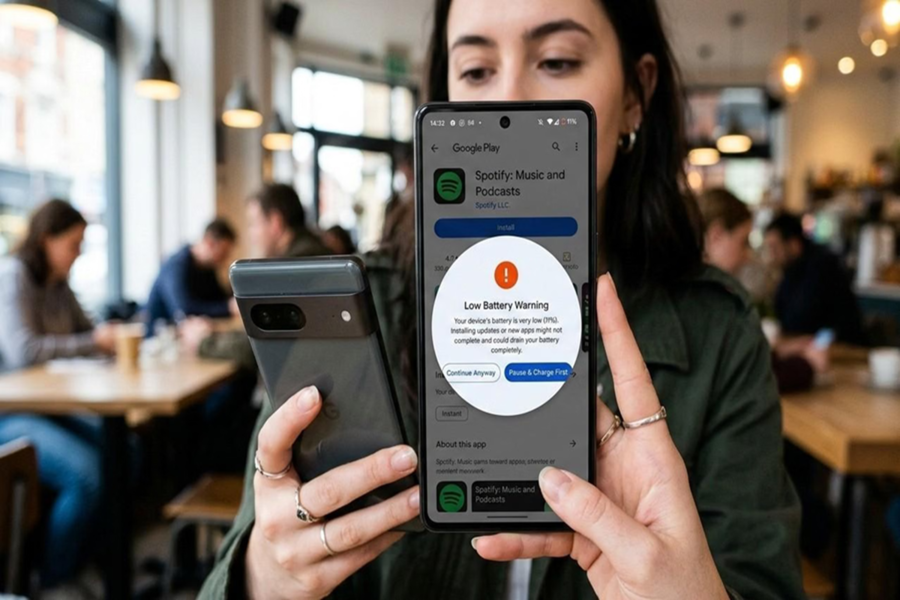
Tech giant Google has taken a new step to improve the convenience of Android users. Apps that use excessive battery power will now be displayed with a warning on the Google Play Store. This means that if an app is excessively active in the background and rapidly draining the battery, users will be notified before downloading it.
Such apps may also be removed from recommendations.
Not only this, Google has clarified that apps with unusually high battery consumption will not be included in the Play Store's recommendations and discovery lists. This step is intended to encourage developers to create better and more energy-efficient apps, providing a better user experience.
A warning message will appear on the Play Store.
According to the company, apps with high battery usage will display a warning message on their page. For example, a message will appear stating that the app may be using more battery than expected due to background activity. This will alert users before downloading the app.
What is Partial Wake Lock and Why Does It Increase Battery Consumption?
The Android system has a feature called Partial Wake Lock. It allows apps to keep the CPU running even after the phone's screen is off. If an app overuses this feature, the phone continues to work in the background, draining the battery faster.
How will an app determine if it's consuming too much battery?
According to Google, if an app keeps Partial Wake Lock active for an average of 2 hours or more after the screen is off in more than 5% of user sessions over the past 28 days, it will be classified as bad behavior. Such apps will be monitored through the Android Vitals system and displayed with a warning on the Play Store.
Benefits to both users and developers
This move by Google is considered important in many ways. It will provide users with advanced information about battery consumption.
The phone's battery life will be improved.
Apps with poor optimization will be identified.
Developers will need to optimize their apps better.
Disclaimer: This content has been sourced and edited from Amar Ujala. While we have made modifications for clarity and presentation, the original content belongs to its respective authors and website. We do not claim ownership of the content.
