
Google: Now, with headphones on, you can understand someone speaking another language during a live conversation..
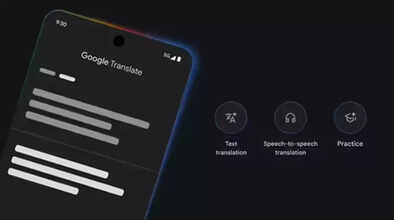
Google has introduced a major update for headphones. The company has announced a new feature that allows wired or wireless headphones to be transformed into a real-time translation device. This means that Google Translate is now offering live translation with the help of Gemini. This will work with any headphones. This new feature is launching on December 12, 2025. It will allow users to hear translated speech at the same time it is being spoken. Google is also bringing Gemini-powered translation smarts and enhanced language-learning tools to its Translate app. This feature is available in India.
Headphones will become a real-time translator device.
Now you can turn any of your headphones into a real-time translation device. You simply need to connect your headphones to your phone and open the Google Translate app. Then you can listen to the translation of any language in real time. For example, you can listen to a lecture in French or watch a Korean drama without subtitles and understand every word. Additionally, features launched on mobile last August have been further improved. Now you just need to point your phone towards the person who is speaking, and you will be able to hear their voice in your language.
Supports 20 languages
For your information, this feature is available for Android and iOS apps. It can also be used on the website and Google Search. This feature was first launched in the US and India. It can be used for translation between approximately 20 languages, including English, Spanish, Arabic, Chinese, Japanese, and German. However, please note that this feature is currently in the beta phase.
Gemini provides assistance
Google Translate, using Gemini 2.5 Flash Native Audio, will maintain the tone, emphasis, and rhythm of each speaker's voice. This will make the translations sound more natural and make it easier to understand who is saying what. It has many potential uses. For example, if you're speaking in another language, listening to a speech or lecture abroad, or watching a TV show or movie in a different language.
How to use this feature?
To use this feature in the Google Translate app, you first need to connect your headphones.
Then, tap on the 'Live translate' option at the bottom.
You can choose the language you want to translate or set the app to 'Detect'.
After that, tap 'Start'.
This will appear in a full-screen interface, which will also show a transcription of the spoken words. This feature is currently in beta and is becoming available on Android in the US, Mexico, and India.
Better feedback on speech practice
Google is still working on improving this model and experience. There have also been some updates to the language learning features. These features, launched in August, will now provide better feedback on your speech practice. To encourage consistent use, Google will track your 'day streaks' (how many consecutive days you've used it). This is available in 20 countries, including Germany, India, Sweden, and Taiwan.
Disclaimer: This content has been sourced and edited from Navbharat Times. While we have made modifications for clarity and presentation, the original content belongs to its respective authors and website. We do not claim ownership of the content.
