
Gmail on iPhone: How to Chat with Your Contacts Directly from the App
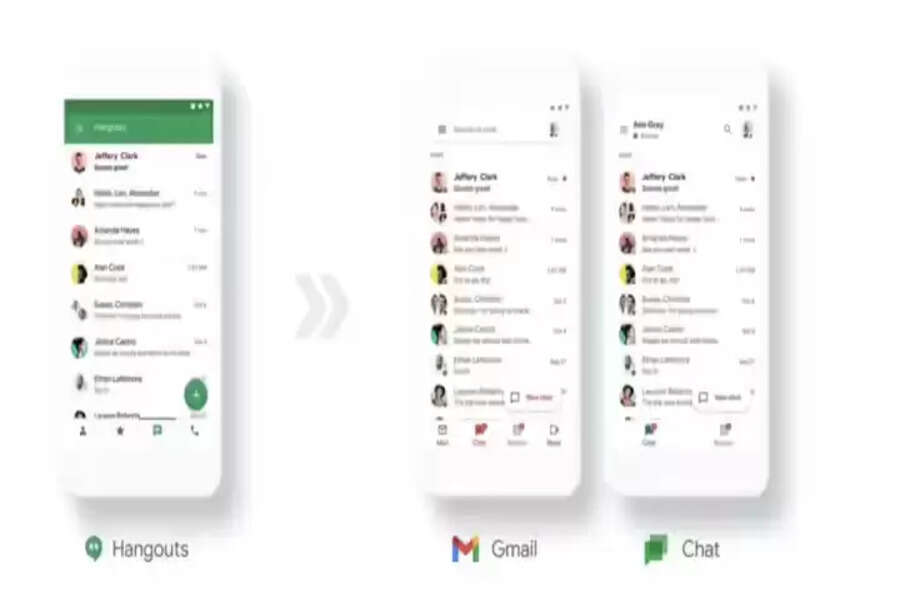
Google has been steadily transforming Gmail into a complete communication hub, bringing multiple services under one roof. Over the past few months, the company has already integrated Google Meet into Gmail, allowing users to join video calls without leaving the app. Now, Google has taken another major step by introducing the Chat feature within Gmail for iPhone users.
With this update, Gmail users no longer need to rely on Google Hangouts, an app that Google has been gradually phasing out. Instead, chatting with contacts can now be done directly inside the Gmail app itself. This move makes Gmail a true one-stop solution for email, video meetings, and instant messaging.
Currently, the Chat integration is available only on iOS devices, making iPhone users the first to experience this unified communication setup. If you are using an iPhone and want to start chatting with your contacts through Gmail, the process is simple and takes only a few minutes.
What You Need to Get Started
Before enabling Chat in Gmail on your iPhone, make sure you have the following:
-
An iPhone
-
The latest version of the Gmail app installed (version 6.0.210404 or later)
-
A Google account signed in to the Gmail app
Once these requirements are met, you can easily turn on the Chat feature.
Step-by-Step Guide: How to Enable Chat in Gmail on iPhone
-
Open the Gmail app on your iPhone.
-
Tap on the side menu icon (three horizontal lines) located in the top-left corner of the screen.
-
Scroll down and select Settings, then tap on your Google account name.
-
Look for the option labeled Chat (early access) and turn the toggle on.
-
The app will prompt you to restart Gmail. Allow the restart to apply the changes.
-
After reopening the app, you will see a new Chat tab on the bottom navigation bar, next to Mail and Meet.
Once enabled, you can start conversations with your contacts directly within Gmail, making communication faster and more convenient.
What If You Don’t See the Chat Option?
In some cases, the Chat (early access) option may not appear in the Gmail app on iPhone. If that happens, you can enable Chat through the desktop version of Gmail:
-
Open Gmail on a computer browser.
-
Go to Settings and navigate to the Chat section.
-
Select Google Chat as the default chat option.
-
Save the changes and then reopen the Gmail app on your iPhone.
After completing these steps, the Chat feature should become visible in the mobile app.
Availability on Android Devices
As of now, Google has rolled out this feature only for iPhone users. There is no official confirmation on when Gmail Chat integration will arrive on Android devices. However, considering Google’s push toward unified communication, Android users can expect this feature to be introduced sooner rather than later.
By bringing Chat directly into Gmail, Google aims to simplify how users communicate, reducing the need for multiple apps and improving overall productivity.
