
Forget PDFs—create interactive wedding cards using AI; a single prompt is all it takes to generate a wedding invitation website..
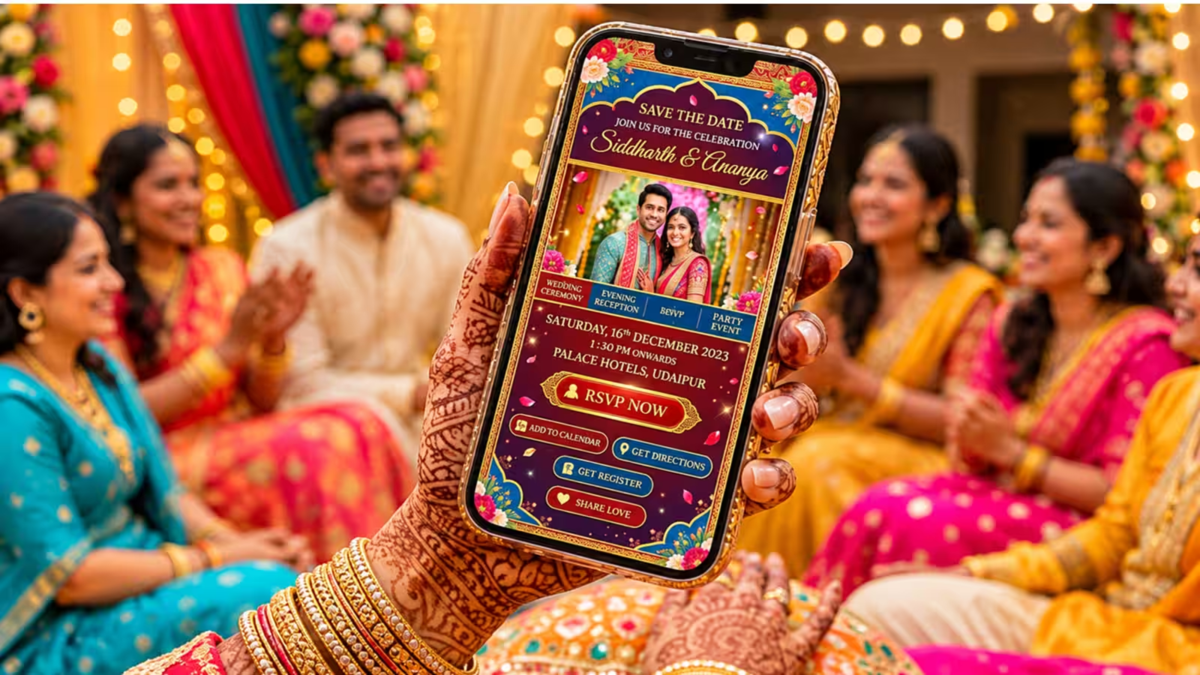
It is wedding season, and getting wedding invitations prepared has become quite a significant task. Traditionally, people have sent printed cards, PDFs, or video invitations to friends and relatives; however, the style of digital wedding invitations is evolving. Nowadays, with the help of AI, one can create interactive wedding invitations that resemble beautiful, professionally designed websites—all without the need for any coding.
By simply using a well-crafted prompt and providing a few details about the wedding, you can create these invitations. Guests won’t just read the invitation; they can tap on various sections to explore details about every event scheduled for the wedding.
What makes these interactive wedding invitations special?
These AI-generated invitations function like a digital book. They display the names of the bride and groom, family details, the wedding date, and even a live countdown. Guests are also provided with an option to save the wedding date directly to their calendars.
Furthermore, there are dedicated sections for each function—such as Haldi, Mehendi, Sangeet, Baraat, and the Reception—containing information about the timing, venue, dress code, and theme colors. The invitation can also include a photo gallery featuring the couple’s pre-wedding pictures, as well as a Google Maps integration to help guests easily navigate to the venue.
How to create an interactive wedding invitation using Claude AI?
To do this, you can use Claude AI. Open Claude AI and upload some high-quality photos of you and your partner. Then, copy the prompt provided below and fill in your specific details.
Create an interactive wedding invitation using this prompt:
Create a premium, fully interactive, mobile-first wedding invitation website as a single-file HTML artifact. Design it like an elegant digital wedding storybook with smooth animations, beautiful transitions, a royal Indian wedding theme, and a luxurious color palette of ivory, champagne gold, and pastel shades.
COUPLE DETAILS:
Groom: [Name], son of [Father’s Name] and [Mother’s Name].
Bride: [Name], daughter of [Father’s Name] and [Mother’s Name].
WEDDING DETAILS:
Wedding Date: [Full Date]
Pheras Time: [Time]
Venue: [Full Venue Address]
Google Maps Link: [Paste Link]
FUNCTIONS:
Create separate interactive sections for Mata Pujan, Haldi, Mehendi, Sangeet, Baraat, Pheras, and Reception. Include the date, time, venue, dress code, and theme color for each event.
SPECIAL FEATURES:
An animated opening page with the couple's names inside an elegant golden frame.
A live wedding countdown timer.
An option to add the wedding date to the calendar.
An interactive event timeline.
A beautiful photo carousel titled “Our Story”.
A clickable Google Maps location button.
Elegant Indian wedding-inspired animations and floral decorations.
A closing page with a warm invitation message from both families.
Use all uploaded photos appropriately. Ensure the website is responsive, visually stunning, easy to navigate and works smoothly on mobile devices. Make every button interactive and functional. Generate the complete HTML artifact.
With the help of this prompt, you can easily create an interactive wedding card.
Disclaimer: This content has been sourced and edited from Dainik Jagran. While we have made modifications for clarity and presentation, the original content belongs to its respective authors and website. We do not claim ownership of the content.
