
Earbud Tips: Did one earbud suddenly stop working? Try these five methods before buying a new pair..
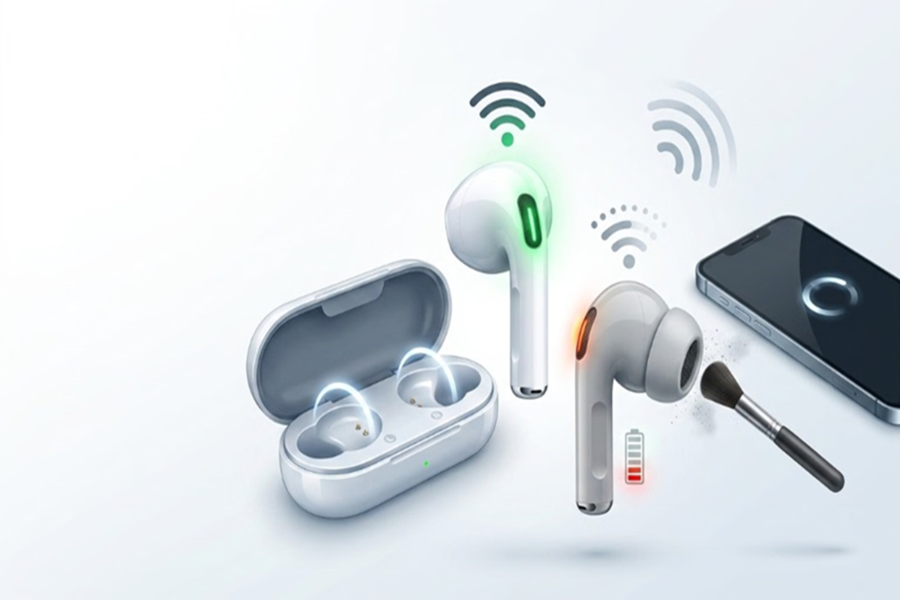
Fix for One Earbud Not Working: Wireless earbuds have made a comeback in popularity, but it often happens that only one earbud works while the other fails to connect or intermittently stops producing sound. Most people mistake this for a hardware malfunction and consider buying a new pair, whereas the issue is often simply related to the battery, Bluetooth, settings, or cleanliness. Here are some easy ways to fix this problem without visiting a service center.
**Check the battery first**
If only one earbud is working, start by checking its battery level. Sometimes, even when both earbuds are charged together, one runs out of battery faster than the other.
Place both earbuds in the charging case and open the case near your phone. This will display the individual battery levels for both. Allow the earbud with the lower charge to fully recharge.
**Reconnect the earbuds**
Sometimes, the connection isn't established correctly. In such cases, place both earbuds back in the charging case for a few seconds, then take them out and put them back in your ears.
In most instances, the earbuds will reconnect automatically.
**Refresh Bluetooth**
Glitches in the Bluetooth connection can also cause this issue. Turn off your smartphone's Bluetooth, wait for about 15 seconds, turn it back on, and reconnect the earbuds.
This can resolve temporary connectivity problems.
**Restart your phone or device**
If the methods mentioned above don't work, restart your phone or the device to which the earbuds are connected.
Minor software bugs in the system can often be resolved simply by restarting, allowing the earbud to function normally again.
**Cleaning the earbuds is also important**
Accumulation of dust, earwax, and dirt on the speaker grille or charging pins can also cause an earbud to stop working. In such cases, clean the EarPods using a soft, dry cloth, a cotton swab, or a soft brush. Avoid using sharp objects or excessive water while cleaning.
What if the problem persists?
If the issue with your EarPod remains unresolved despite trying these methods, be sure to check the warranty status.
If the device is under warranty, contact an authorized service center. If the warranty has expired, you can either purchase a new pair or have the device inspected by a professional, as an EarPod may sometimes stop working due to an internal fault.
Disclaimer: This content has been sourced and edited from Amar Ujala. While we have made modifications for clarity and presentation, the original content belongs to its respective authors and website. We do not claim ownership of the content.
