
e-Pehchan Card: How to download the ESIC e-Pehchan Card? Save it on your phone for free treatment..
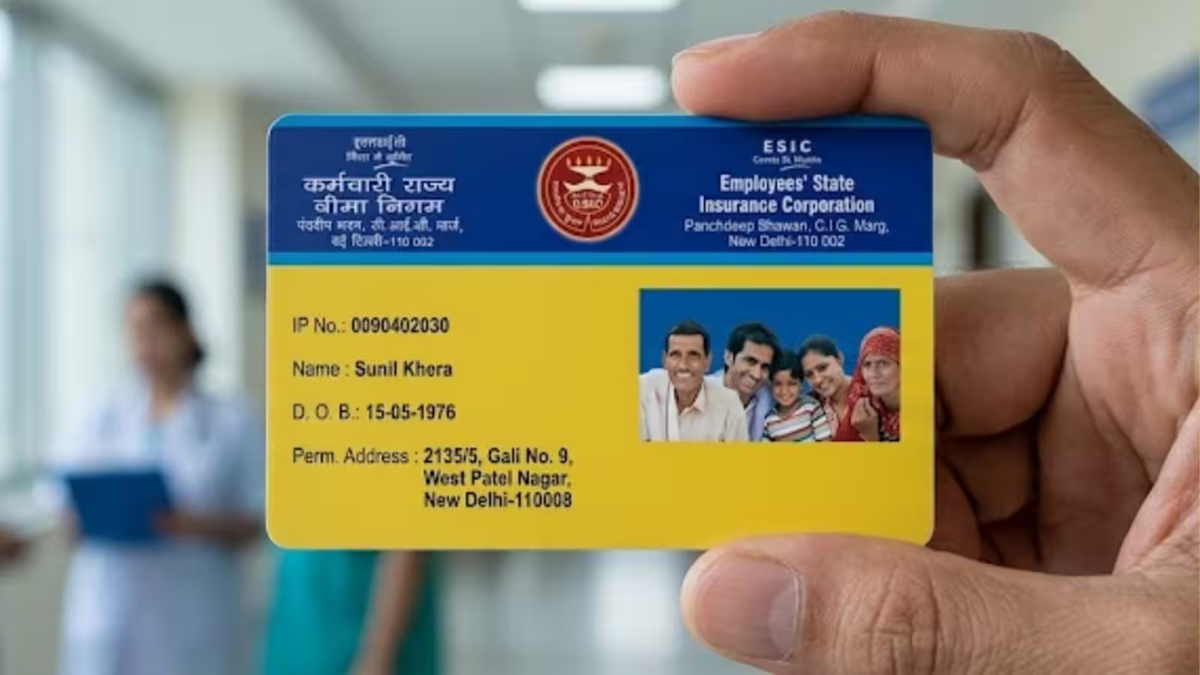
If you are covered under the ESIC (Employees' State Insurance Scheme), carrying your e-Pehchan card is essential. This card serves as proof of your ESIC membership and eligibility when you need free medical treatment or other healthcare services. Consequently, leaving the card at home or needing it unexpectedly could cause inconvenience. However, you no longer need to carry a physical copy of the card at all times.
Yes, you can download and store a digital copy of the ESIC e-Pehchan card on your smartphone. To do this, you simply need to use the UMANG App and follow a quick process to save it to your phone. Let’s first look at the benefits of keeping the e-Pehchan card on your phone...
Why is it beneficial to keep the e-Pehchan card on your phone?
Eligible employees and their family members receive medical benefits under the ESIC scheme in accordance with established rules. To avail of these services at a hospital or dispensary, you are required to provide proof of identity and details related to your ESIC coverage.
Having the e-Pehchan card saved on your phone eliminates the need to search for the physical card or request a copy from your office when the need arises. By saving it as a PDF, you can easily access and display it whenever necessary.
How to download the card using the UMANG App?
First, install the UMANG App on your smartphone.
Open the app and log in to your account or complete the necessary verification.
Search for the ESIC service within the UMANG app and open it.
You will see an option related to the e-Pehchan card.
Tap on 'Download e-Pehchan Card'.
Enter your registered mobile number or ESIC Insurance/IP Number.
An OTP will be sent to your registered mobile number.
Enter the OTP to complete the verification.
Once the details are verified, your e-Pehchan card will appear on the screen.
Download it and save it as a PDF file on your phone.
Disclaimer: This content has been sourced and edited from Dainik Jagran. While we have made modifications for clarity and presentation, the original content belongs to its respective authors and website. We do not claim ownership of the content.
