
Do you also leave your phone charging overnight? Learn the rule regarding adaptive charging, or else your battery life could decrease..
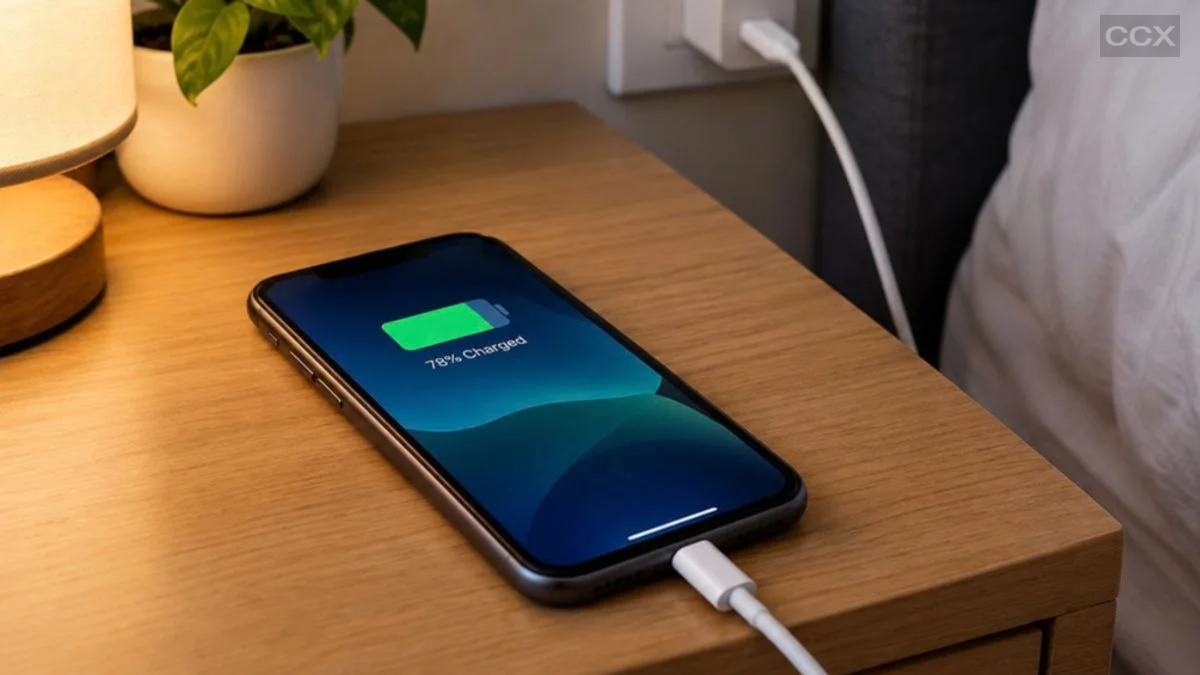
It is nighttime; you set an alarm on your phone, notice the battery is at 23%, plug it into the charger by your bedside, and go to sleep. By the time you wake up in the morning, your phone has remained connected to the charger for seven to eight hours—far longer than the time it takes for any fast charger to reach a full 100% charge.
We often hear that leaving a phone charging overnight can be harmful to its battery. Lithium-ion batteries have a limited lifespan, and repeated charge-discharge cycles—going from 0% to 100%—can accelerate their degradation. It was previously recommended to follow the "20-80 rule" to extend battery life—keeping the charge level between 20% and 80%. While the underlying chemical process of the battery remains the same, the smart charging controls in modern smartphones have largely addressed this issue.
Is it safe to charge your phone overnight?
Charging controls in modern smartphones are far superior to those of the past. When a phone remains connected to the charger for an extended period, it does not charge at maximum speed the entire time. Many devices can learn a user's charging habits and pause or slow down the charging process.
The goal is to minimize the time the battery spends sitting at 100% charge. For instance, the iPhone's "Optimized Battery Charging" feature might pause charging at around 80% during a long session and then resume to reach 100% just before the user typically unplugs the phone.
Apple introduced this feature with iOS 13. Therefore, if your phone supports modern charging management, leaving it connected to the charger overnight does not mean the battery will keep charging at full speed once it hits 100%.
Why is charging up to 80% recommended?
It is normal for lithium-ion battery capacity to degrade over time. Every full charge cycle slightly affects the battery's capacity. However, a charge cycle does not simply mean charging from 0% to 100% once; rather, a cycle is completed when the equivalent of 100% of the battery's capacity has been used. Consequently, minimizing the time the battery spends at very high charge levels can help extend its lifespan.
However, this does not mean it is essential to always charge every phone to exactly 80%. If an 80% charge meets your daily needs, it is a good option. On the other hand, if you need to use your phone all day or won't have access to a charger while traveling, maintaining a higher charge level might be more practical.
How does Optimized Battery Charging work on the iPhone?
The Optimized Battery Charging feature on Apple smartphones learns the user's daily charging habits. When the phone predicts it will remain connected to the charger for an extended period, it may pause charging after reaching 80%. It then typically resumes charging to reach 100% just before the user is expected to unplug the device.
On the iPhone 15 and later models, users can also set a specific charge limit. Limits can be selected between 80% and 100% in 5% increments—meaning you can set the limit to 80%, 85%, 90%, 95%, or 100% based on your needs. If a lower charge limit is set, the iPhone may occasionally charge itself to 100% to maintain the accuracy of the battery charge reading.
**Battery protection features are also available on Samsung phones**
This feature isn't limited to iPhones; Android devices have it too. Samsung Galaxy phones include a battery protection feature to manage charging. The available options may vary depending on the specific Galaxy model and software version.
In Samsung's current battery protection system, users can select a "Maximum" mode with charge limits such as 80%, 85%, 90%, or 95%. The phone stops charging once the selected limit is reached. Additionally, modes like "Sleep" or "Adaptive" can adjust charging based on the user's sleep schedule or usage habits. Charging might pause at around 80% during sleep hours and resume to reach 100% just before the user wakes up.
**Adaptive Charging on Google Pixel**
Google Pixel phones also offer charging optimization options. Adaptive Charging learns the user's charging habits and prevents the phone from remaining at 100% charge for extended periods during long charging sessions.
If the phone is plugged in overnight, it typically aims to complete the charge to 100% close to the time the user usually unplugs it. According to Google, it may take about 14 days for the feature to learn the user's charging habits.
Pixel 6a and newer devices also offer an option to limit the charge to 80%. This can be useful for users who find that an 80% charge is sufficient to last through the day.
**What does the iPhone 17's Adaptive Power feature do?**
Apple has introduced an 'Adaptive Power' feature with the iPhone 17 series. This is not a feature for setting charging limits; rather, it is designed to manage battery consumption throughout the day. By analyzing the user's typical battery usage patterns, it predicts when extra battery power might be needed and adjusts aspects such as performance, screen brightness, and background activity accordingly. It can also activate Low Power Mode when necessary.
Disclaimer: This content has been sourced and edited from Amar Ujala. While we modified it for clarity and presentation, the original content belongs to its respective authors and website. We do not claim ownership of the content.
