
Digital locker facility launched at these Delhi railway stations; your luggage will be secured via OTP..
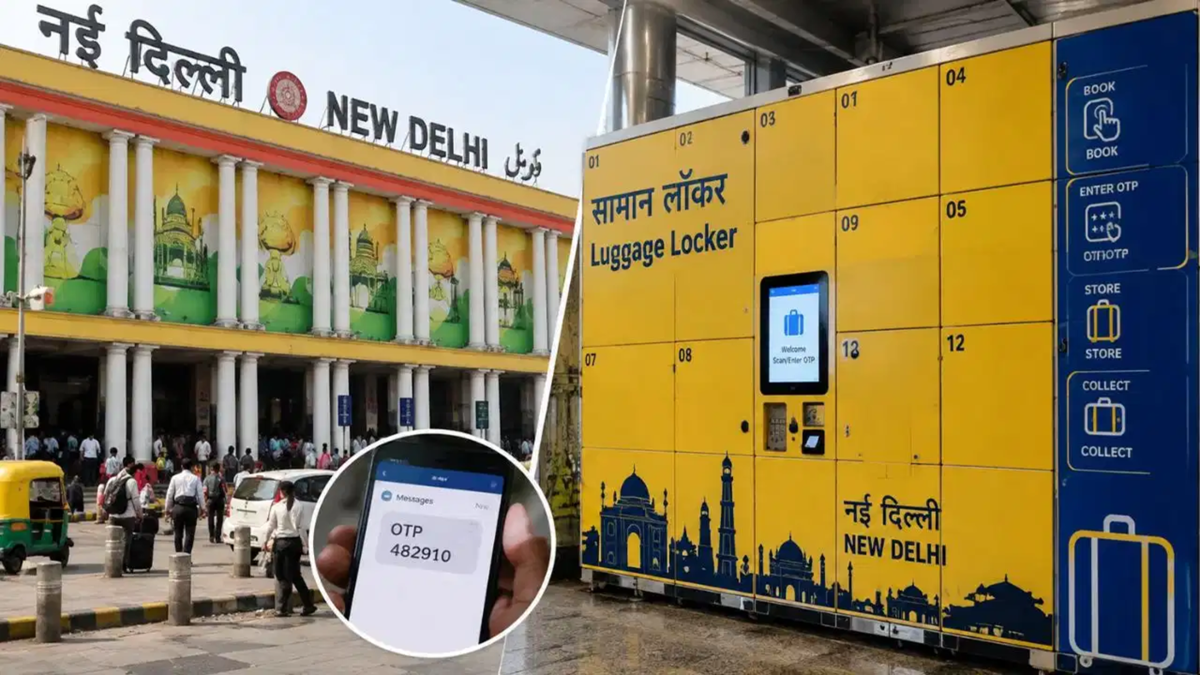
Indian Railways is continuously taking new steps to make travel more convenient for passengers. It is often observed that travelers embarking on long journeys with their families carry a large number of bags. If, for any reason, they have to spend a few hours at the station, these heavy bags become a major hassle. To address this issue, Northern Railway has introduced a modern solution. Initially, four major stations in Delhi have been selected for this initiative: New Delhi (NDLS), Hazrat Nizamuddin (NZM), Delhi Junction (DLI), and Anand Vihar Terminal (ANVT).
Currently, this facility is fully operational at the New Delhi and Hazrat Nizamuddin railway stations. At both these stations, the digital lockers will be available 24/7. At New Delhi Railway Station, the lockers have been installed in the main hall, near Platform No. 16, beneath the digital display board. At Hazrat Nizamuddin Railway Station, they are located next to the stairs near the main entrance. This facility will also be launched very soon at Anand Vihar Terminal and Delhi Junction.
**Use it yourself without assistance**
The Railways has designed these digital lockers so that any ordinary passenger can operate them easily. Himanshu Shekhar Upadhyay, Chief Public Relations Officer of Northern Railway, shared key details about this initiative. He explained that the new system relies entirely on an OTP (One-Time Password) sent to your mobile phone. A major advantage is that you do not need assistance from any railway staff member to deposit your luggage. A monitor panel has been installed near the lockers at the station; to use the facility, you simply need to enter your mobile number on the panel. An OTP will be sent to your phone immediately, registering your number in the system.
**How to book a digital locker**
Once your mobile number is verified, the subsequent process becomes quite simple. After entering the OTP, you will see various locker sizes displayed on the monitor screen. You can select the appropriate locker based on the size of your bag. You will also need to specify the duration for which you wish to store your luggage. Once these details are selected, it is time for payment. The Railways offers a cashless payment facility; you can make an instant payment using any UPI app on your mobile, such as Google Pay, Paytm, or PhonePe. As soon as the payment is processed, the locker will be allocated to you; simply place your luggage inside and close it.
**Process for Retrieving Luggage**
When you are finished with your task, you must return to the same machine to retrieve your luggage. You need to use the same mobile number that was used for the booking. Enter your registered number on the monitor and verify it using the OTP. A ‘Release’ option will appear on the screen; clicking it will automatically open the locker you booked. You can then safely retrieve your luggage.
Disclaimer: This content has been sourced and edited from TV9. While we have made modifications for clarity and presentation, the original content belongs to its respective authors and website. We do not claim ownership of the content.
