
Digital Local Toll Pass: Tired of paying tolls? Here’s how to get a local pass—the Rajmargyatra App makes it easy..
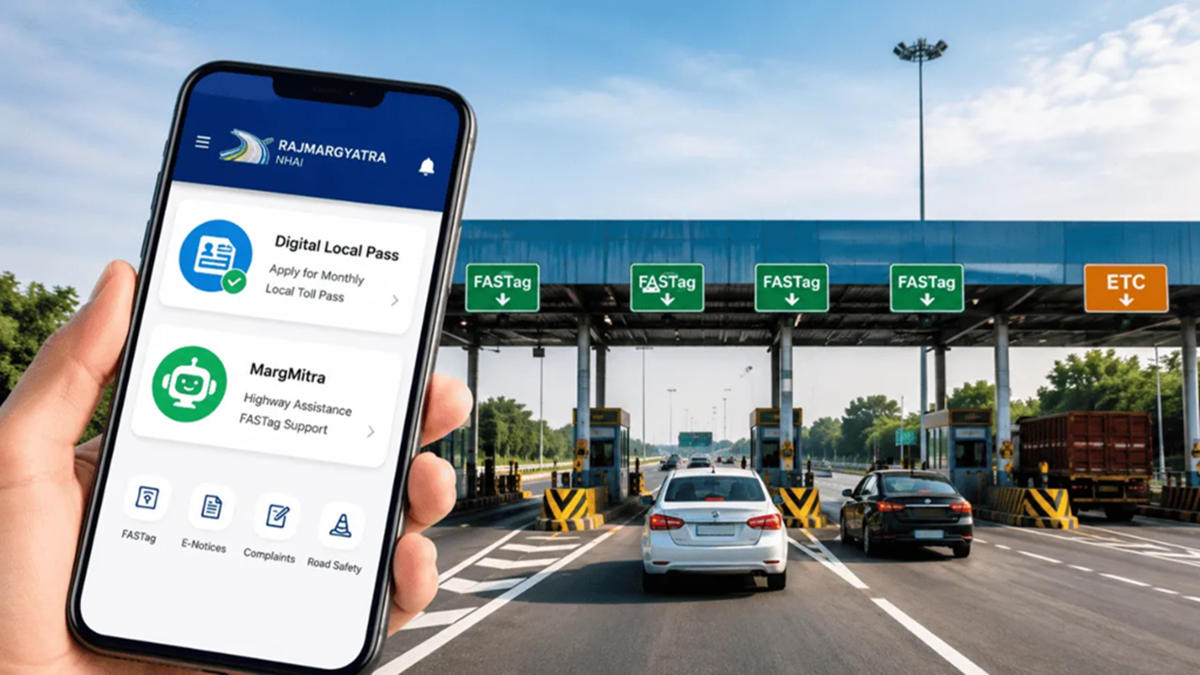
The National Highways Authority of India (NHAI) recently launched a 'Digital Local Pass' facility for residents living near toll plazas. Eligible residents can now apply for a monthly toll pass from the comfort of their homes using the 'Rajmargyatra' app. There is no need to visit the toll plaza to submit documents; the entire process—application, document uploading, and payment—is conducted online.
Currently, this facility has been rolled out at the Mundka-Bakkarwala Toll Plaza on Delhi's Urban Extension Road-II. NHAI has stated that it will be extended to other toll plazas across the country in the coming months.
**Who is eligible for a Local Toll Pass?**
The Local Toll Pass is designed for individuals residing within a 20-kilometer radius of an eligible toll plaza. However, distance and eligibility criteria may vary depending on the specific toll plaza. To apply, the applicant must own a private vehicle, possess an active FASTag, and provide proof of residence within the designated area. Once the application is approved, the pass allows for unlimited travel through the respective toll plaza for one month.
This Local Pass is valid only at the specific toll plaza for which it was issued. It differs from the National Highway Annual Pass, as the latter is governed by separate rules regarding validity, usage, and fees.
**Documents required for the application**
Before starting the application, keep your Aadhaar Card, Vehicle Registration Certificate (RC), and proof of residence ready. Depending on local regulations, some toll plazas may require additional documents. The name, address, and vehicle number entered in the application must exactly match the details on the documents. Additionally, the vehicle must have an active FASTag linked to that specific vehicle number.
**How to apply via the Rajmargyatra App?**
First, download the official Rajmargyatra app from the Google Play Store or Apple App Store (or update it if already installed). Next, log in using your mobile number. Navigate to the 'FASTag' or 'Toll Services' section and select the 'Local Pass' or 'Monthly Pass' option.
Then, select the relevant toll plaza and enter all the required details regarding the vehicle, FASTag, and proof of residence. Next, upload clear copies of the required documents and submit the application after carefully verifying all the details. Once eligibility is confirmed, pay the monthly fee by following the procedure shown in the app.
Upon approval, the Local Pass will be digitally linked to your FASTag. Be sure to check its activation status in the app before commencing your journey.
Points to consider before making the payment:
Local Pass charges may vary across different toll plazas; therefore, consider the amount displayed in the app as final before making the payment. Additionally, thoroughly verify details such as the pass validity, the specific toll plaza, and the vehicle number.
If the Local Pass option does not appear in the app, it may indicate that this digital facility has not yet been launched at the respective toll plaza. In such cases, users can contact the toll plaza directly or seek assistance from the MargMitra Help Centre within the Rajmargyatra App. MargMitra supports 22 Indian languages via both text and voice modes.
Disclaimer: This content has been sourced and edited from NDTV India. While we have made modifications for clarity and presentation, the original content belongs to its respective authors and website. We do not claim ownership of the content.
