
Confused by Instagram’s New Feature? No Worries—Here’s a Simple Explanation
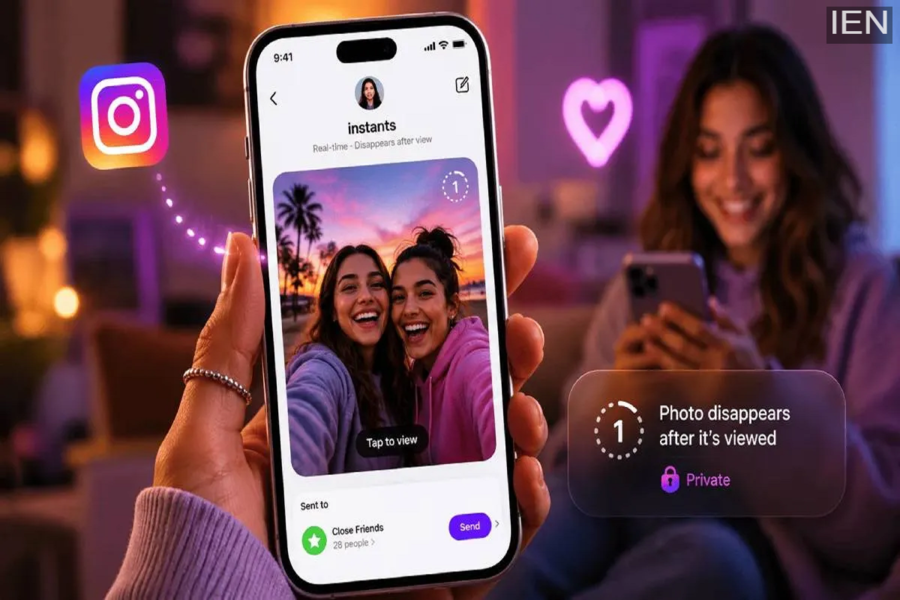
Instagram recently rolled out the “Instants” feature for real-time, private photo sharing. This Instagram feature is completely private and offers the option to share photos exclusively with your “Close Friends” and general friends list.
Instagram has recently launched a Snapchat-like feature called “Instants.” This feature is specifically designed for sharing real-time photos with your Close Friends and other friends. It can essentially be described as a “Private Story”—meaning you can share photos that you capture instantly, right in the moment. Many users have already started receiving access to this feature. If you have also gained access to this new Instagram feature and wish to use it, the process is quite simple.
What are “Instants”?
This is a private photo-sharing feature that is visible only to your friends and Close Friends. It is a secure, private feature where recipients are unable to take screenshots of the shared photos. Using this feature, you can only send photos that are captured in real-time directly using your phone’s camera.
You cannot edit the photos taken with this feature, nor can you apply any filters to them. Additionally, you cannot select or use any photos from your phone’s gallery. Just like Instagram Stories, photos shared via “Instants” are automatically deleted after 24 hours. Furthermore, your friends can view these photos only once.
How to Use It?
To use this feature, open the Instagram app.
On the Home page, navigate to the Inbox section (Direct Messages).
Here, you will see a “stack” icon located on the side; tap on it.
Next, capture a photo using your phone’s camera.
Afterward, you have the option to add a caption if you wish.
Then, select either “Friends” or “Close Friends” as your audience.
Finally, tap the “Send” button.
The recipient can view this “Instant” only once, and it will disappear after 24 hours.
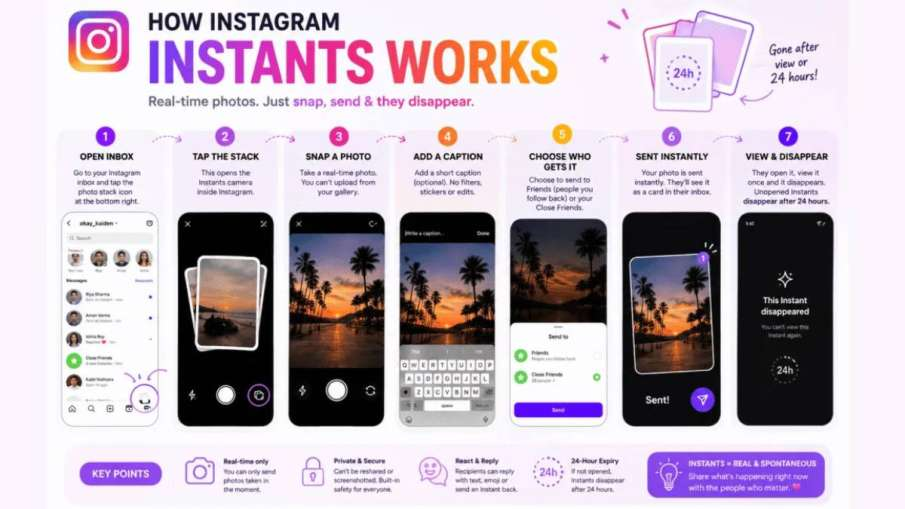
How Instagram Instants Works
How to View Instants Sent by Someone?
To do this, open the Instagram app and navigate to your inbox.
Here, you will see a photo stack located at the bottom right corner.
Tap on it to view the Instant shared by someone—you can view it only once.
If you wish to react to it, tap on the emoji or reply button to send a quick message.
Once viewed, this photo will disappear from your feed.
How to Get This Feature?
If you haven’t received this feature on Instagram yet, visit the Google Play Store or the Apple App Store and update the Instagram app to the latest version. After updating, open the app and follow the steps outlined above to access this Instagram feature.
