
'Close Friends' Feature Arrives on WhatsApp: Do You See a Purple Circle?
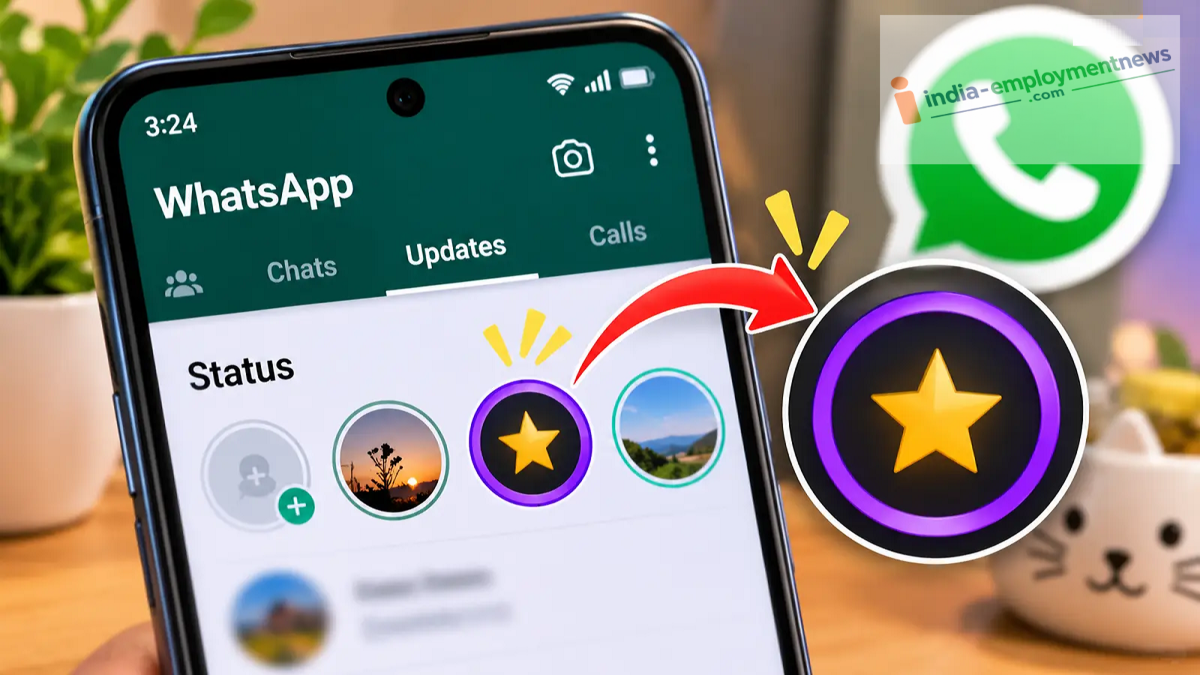
WhatsApp’s new 'Close Friends' feature is designed to enhance your privacy. Learn how to share your status updates with your inner circle and identify them by the purple ring.
WhatsApp is rolling out a new 'Close Friends' feature for its users. Much like on Instagram, this allows users to share their WhatsApp Status with a select group of friends and close acquaintances. Notably, status updates shared with 'Close Friends' are distinguished by a unique purple ring and an emoji—meaning you no longer need to share every status update with all your contacts.
When Did the 'Close Friends' Feature Emerge?
Discussions surrounding this WhatsApp feature began in February 2026, when it was first spotted during development in the Android beta version 2.26.5.13. Testing for a subset of Android and iOS beta users commenced in May 2026. As of November 2026, the feature is gradually reaching a wider user base, though it is not yet available to everyone.
How Does the 'Close Friends' Feature Work?
Separate 'Close Friends' List: Users can add their preferred contacts to a dedicated list, with the flexibility to add or remove individuals at any time.
Identified by a Star Emoji: By default, the 'Close Friends' list is marked with a star (⭐) emoji. Users can also assign custom names and different emojis to their lists.
Purple Ring Indicator: Status updates shared with 'Close Friends' will appear with a purple ring around them, signaling that the update is intended for a specific, select audience.
Privacy-Focused: People added to the list will not receive a notification, nor will they be able to see who else is included in that list.
How to Use the 'Close Friends' Feature on WhatsApp:
Open WhatsApp and navigate to the 'Updates' section.
Select a photo or video to share as a status update. Tap on the option to select the audience for your Status.
Choose your 'Close Friends' list and share your Status.
What should you do if you don't see the 'Close Friends' feature in WhatsApp?
If this feature hasn't appeared in your WhatsApp yet, there's no need to worry. First, go to the Google Play Store or Apple App Store and update WhatsApp. If the feature still doesn't appear, it is possible that the rollout has not yet reached your account. In that case, you will need to wait a little longer.
In the meantime, you can go to 'Status Privacy' and select the 'Only Share With' option. This allows you to choose specific contacts and share your Status exclusively with them.
