
Check in minutes via phone whether the SIR form has been submitted—the easiest way to check the status..
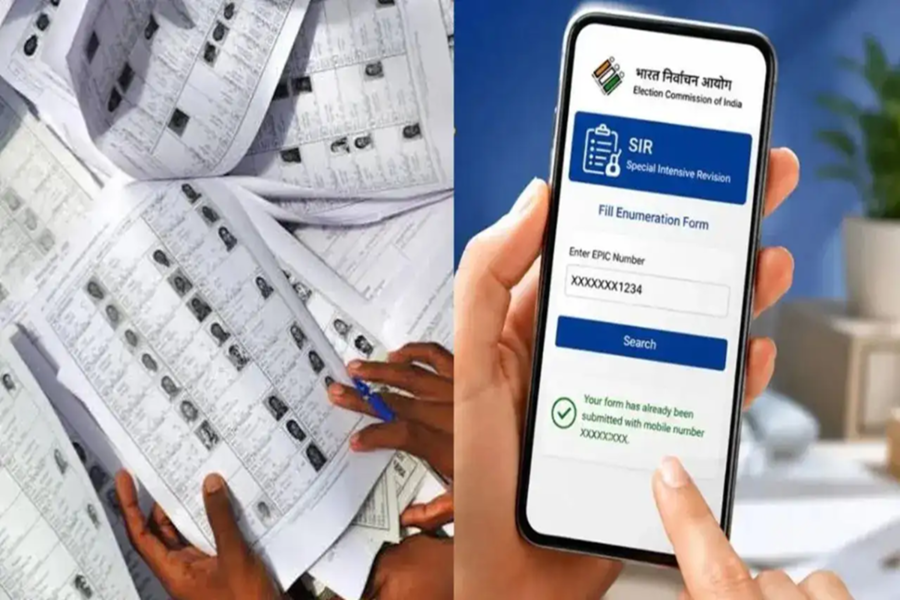
If you have filled out your enumeration form under the Special Intensive Revision (SIR) and handed it over to the BLO (Booth Level Officer), it is crucial to verify whether your form has been successfully submitted to the Election Commission's system.
The good news is that you do not need to make rounds of government offices for this. Yes, you can check the status of your form from the comfort of your home using just your mobile phone by following a few simple steps. Let’s find out how...
How to check the SIR form status?
First, visit the Election Commission's voter portal at voters.eci.gov.in.
Click on the 'Fill Enumeration Form' option visible on the homepage.
If you have never used this portal before, create a new account by selecting 'Sign Up'.
Register by entering your mobile number, email ID, and the captcha code.
Those who already have an account can log in using their registered mobile number and password or OTP.
Once logged in, open the 'Fill Enumeration Form' option again.
Enter your Voter ID number in the designated box.
Click on 'Search'.
The status of your SIR form will then appear on the screen.
What will the status show?
If your form has been successfully submitted by the BLO, a message will appear on the screen confirming that your form has been submitted along with the associated mobile number. This indicates that the application has been entered into the Election Commission's records.
If the option to fill out a new form appears instead of the status, it means your form has not yet been submitted to the system. In such a case, you should immediately contact your BLO.
If the status indicates that the form has been submitted but the associated mobile number is not yours, or if a submission message appears even though you did not fill out the form, this could be a data entry error. In such situations, too, contact the BLO to have the information corrected.
How to contact the BLO? If you need to speak with your BLO regarding any information, visit the same voter portal and click on the 'Book a Call with BLO' option. After clicking this, enter your Voter ID number and the CAPTCHA code to search. The BLO's name and mobile number will then appear on the screen, allowing you to contact them directly.
Disclaimer: This content has been sourced and edited from Dainik Jagran. While we have made modifications for clarity and presentation, the original content belongs to its respective authors and website. We do not claim ownership of the content.
