
By understanding the meaning of the small light blinking on your smart TV, you can extend the life of your TV..
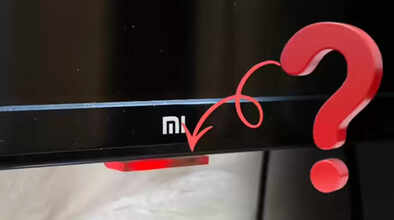
Have you ever noticed your TV's power light? Yes, that tiny light indicates whether the TV is receiving power. However, this light's function isn't just to indicate whether the TV is on or off. Its blinking, flickering, or changing color reveals a lot more about your TV.
It can help you understand what your TV is doing in the background and its overall health. However, ignoring its different patterns can be costly. Major TV manufacturers, such as Sony and Samsung, have provided information about the TV's power light so that users can know about their TV.
Let's not delay, then, and understand what your TV's power light indicates and how you can use it to improve your TV's health.
If the red light is blinking continuously
If your smart TV's power light is blinking continuously, it indicates a problem with the power supply or internal board. According to LG and Samsung's support forums (REF.), if there's a voltage issue in your home and you're not using a stabilizer with your TV, your TV's power light may blink repeatedly to warn you.
Fast Blinking When Turning on the TV
According to Sony's official support page, (REF.) If the power light blinks rapidly when you turn on the TV and then turns on after a few seconds, this is usually part of the system startup process. However, if this blinking continues for a long time and the TV freezes, it means the TV's software or processor is under pressure. This could also mean that an update is stuck due to too many apps running in the background, or the TV's software is having trouble loading.
Power Light Is On, But Screen Remains Black
According to the iFixit TV website, (REF.) Sometimes the power light remains on normally, but the screen remains completely black. Additionally, the TV doesn't make any sound.
If this happens, understand that there's a primary defect in the TV's backlight or display panel. To better verify this, turn on the TV and shine a flashlight on the screen. If you see a dim image, it's the backlight, not the panel, that's faulty. Catching this problem early can help avoid costly expenses.
Light Blinking in a Fixed Pattern
Some smart TVs, such as Sony TVs, also use the power light to display error codes. This means that the TV's power light blinks in different patterns to indicate the problem. The average user may dismiss this as normal.
If you notice your TV's power light blinking in a specific pattern, such as eight consecutive blinks or two intermittent blinks, inform the company. A technician from the company can diagnose the problem in your TV and fix it promptly, saving you from significant expenses.
Power Light Color Change
If your TV's power light continues to change color even after you turn it off, it means your TV hasn't fully entered rest mode. This often happens during background updates, app sync, or cache clearing. In such cases, you should wait for the power light to return to normal, or restart the TV and go to Settings to turn it off.
After this, unplugging the TV for a while can significantly extend the life of your TV.
Disclaimer: This content has been sourced and edited from Navbharat Times. While we have made modifications for clarity and presentation, the original content belongs to its respective authors and website. We do not claim ownership of the content.
