
BAT-BMS App Ban: How to Protect E-Rickshaws from Chinese Hacking?
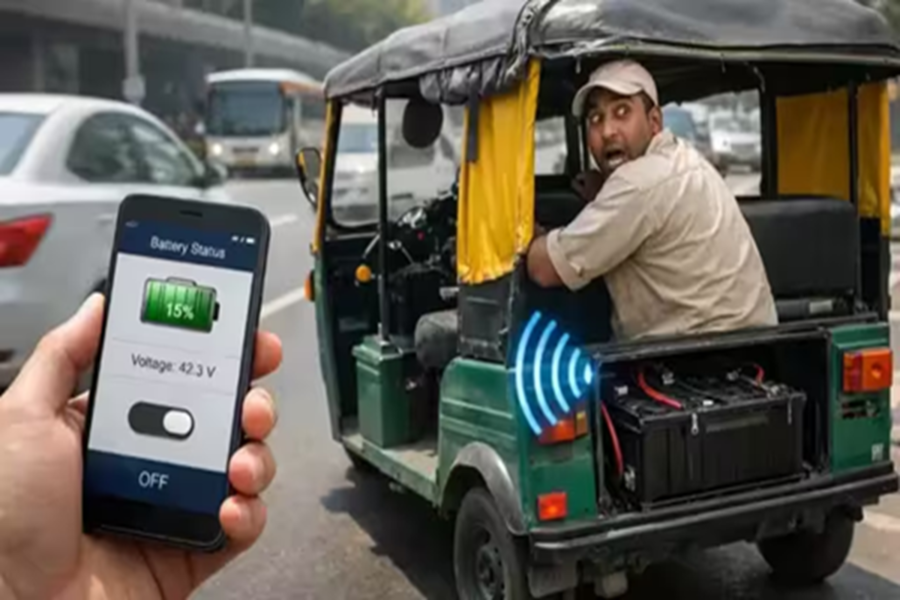
There is welcome news for e-rickshaw drivers across the country. The Ministry of Electronics and Information Technology (MeitY) of the Government of India has ordered the removal of three mobile apps—BAT-BMS, Lossigy, and Epoch Li-ion—from the internet and app stores. These apps were being used to shut down e-rickshaws while they were on the road. Recently, videos went viral on social media showing individuals remotely shutting down moving e-rickshaws using these mobile apps. Investigations revealed that the apps were being misused to stop e-rickshaws without physical contact. Taking immediate action, the government ordered their removal from the Google Play Store and Apple App Store. Let us understand how e-rickshaw drivers can protect themselves from such apps and whether these apps will continue to function on devices where they are already installed.
How did these apps work?
These three apps were originally designed for battery monitoring. Battery manufacturers created them to allow users to check their battery's voltage, temperature, and overall status. However, the apps included a feature that allowed the battery to be switched on or off remotely. This specific feature became a security risk. Individuals would download these apps, approach a moving e-rickshaw within a 15-meter range, and connect via Bluetooth. They would then cut off the battery's power supply, causing the e-rickshaw to come to a sudden halt. In several instances, after stopping the vehicle, the perpetrators would extort between ₹200 and ₹300 from the driver under the pretext of fixing the issue.
How can e-rickshaw drivers protect themselves?
The government has ordered the immediate removal of the BAT-BMS, Lossigy, and Epoch Li-ion apps from the Google Play Store and Apple App Store. However, e-rickshaw drivers need to know how to protect themselves if these apps are already installed on someone's phone. Most affordable e-rickshaws in India are equipped with low-cost battery systems. These systems often lack robust security, leaving the Bluetooth connection open without a password requirement—which is precisely what caused this issue. To prevent this, drivers can set a password or PIN within the battery's companion app. If this feature isn't available, a skilled mechanic can modify the battery wiring to install a physical bypass switch, effectively overriding app-based control. Another option is to disable or remove the internal Bluetooth antenna to prevent unauthorized external connections. However, the best long-term solution is to use secure, encrypted battery systems.
How do you set a password or PIN?
Download the official battery app on your phone.
Open the official app.
Go to Settings.
Select the Bluetooth password/PIN option.
Set a new, strong password or PIN.
Save the changes.
What happens if the app is already downloaded?
The government has removed these apps from the Google Play Store and Apple App Store, preventing new users from downloading them. However, the app will not automatically delete itself from phones where it is already installed. This means the existing app could still be misused. The government is currently working on technical measures to completely shut down or deactivate these apps. Until such measures are implemented, the responsibility for security lies with the drivers and vehicle owners.
Are electric cars and scooters also at risk?
There is no need for the general public to panic about this issue. Electric vehicles from major brands like Ather, Ola, TVS, Bajaj, Tata, MG, and Mahindra are completely safe. These vehicles utilize robust, encrypted battery systems integrated with the vehicle's main computer, making them immune to control via standard mobile apps or Bluetooth connections. This problem has primarily been observed in cheap, local, unbranded e-rickshaws or assembled vehicles that use inferior battery systems.
