
Ayushman App: What is the Ayushman app? It allows you to get your Ayushman card made from the comfort of your home..
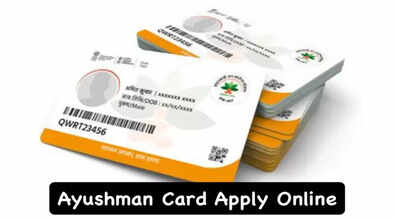
How to apply for an Ayushman card: There's good news for everyone who wants to get an Ayushman card. If you want to get an Ayushman card to avail free treatment up to Rs 5 lakh, you don't need to go anywhere or stand in queues. Now, everything can be done from the comfort of your home using just one app. This information was shared by the National Health Authority (NHA) itself in a post on X (formerly Twitter).
In its post, the NHA stated that by downloading the Ayushman App, you can easily check your eligibility for the Ayushman card and also get the card made. Let's learn more about this in detail.
How to check eligibility for the Ayushman card?
To get an Ayushman card, first, you need to download the Ayushman app on your phone from the Play Store or App Store. You can download this app for free.
After that:
Tap on the Login button on the app's home page.
Now, select Beneficiary in Login As and enter your phone number after filling in the captcha.
Then, enter the OTP and proceed.
A small form will open. In the Scheme section, select PMJAY, your state, PMJAY in Sub Scheme, and in Search By, choose one of the options like Aadhaar number, Family ID (such as ration card or PMJAY card number), and fill in the details in the next column.
After that, fill in the captcha and check your eligibility.
If you are eligible to get the card, the app will take you to the next step. Otherwise, you will see an error message indicating that no beneficiary was found for the search criteria.
How to get the card after checking eligibility?
After checking your eligibility for the Ayushman card on the app using the method described above, the app will display your details. In the details, you will also see the names of the people associated with your family ID.
Next to the name of anyone who already has an Ayushman card, you will see "Download Card" written in green. You can download the Ayushman card by clicking on this.
Additionally, if you see "Do e-KYC" next to a name, you will need to complete your e-KYC. How to complete e-KYC on the Ayushman app?
Tap on e-KYC next to your name.
Then, an Authentication menu will appear.
Here, you can select Aadhaar OTP.
An OTP will then be sent to the number linked to your Aadhaar. Give your consent.
After Aadhaar OTP verification, enter your Aadhaar OTP and the separate OTP received for your phone number.
After this, you will complete your verification as a family member, and the app will take you to the e-KYC page.
Complete e-KYC this way:
On the e-KYC page, you will see details such as Aadhaar ID, Member ID, and Family ID.
Scroll down and select the option to complete your e-KYC via Aadhaar OTP.
Then, enter your Aadhaar number and accept the consent form.
After that, enter the mobile OTP and Aadhaar OTP.
Then, click and upload your photo. The picture will be matched with your Aadhaar data.
After that, enter the remaining required details and submit the form.
You will then be able to download your Ayushman card after some time.
Disclaimer: This content has been sourced and edited from Navbharat Times. While we have made modifications for clarity and presentation, the original content belongs to its respective authors and website. We do not claim ownership of the content.
