
Are you troubled by dust rising from the roads? You can file an instant complaint right from your mobile phone using this app..
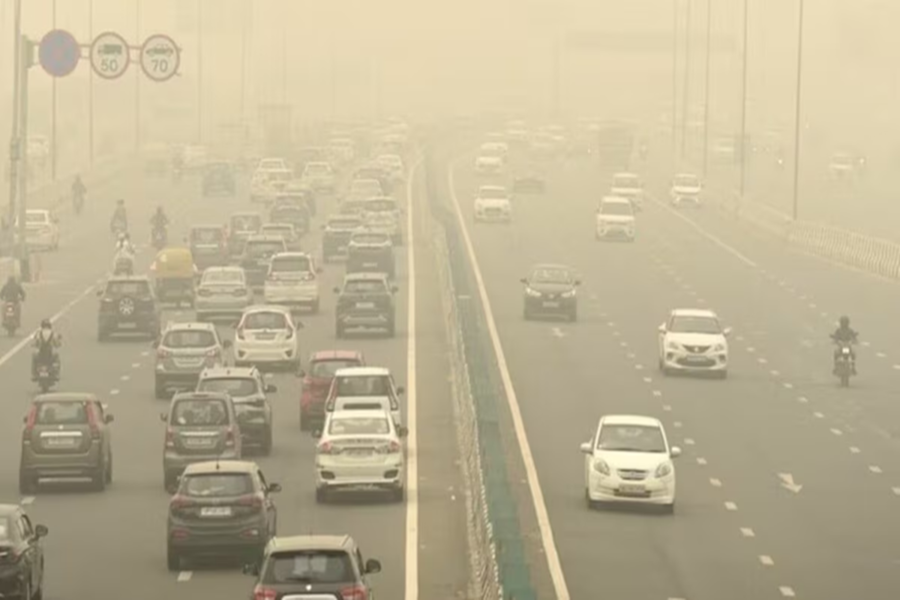
Air pollution has emerged as a grave concern for metropolitan areas and rapidly developing cities in today's times. Construction activities and dust kicked up from roads contribute significantly to this problem. To combat this issue and empower citizens in the fight against pollution, the Central Pollution Control Board (CPCB) has made excellent use of technology. Recently, the CPCB shared crucial information on the social media platform 'X' (formerly Twitter), appealing to citizens to actively participate in curbing pollution.
**What did the CPCB say on X?**
Posting from its official 'X' handle, the Central Pollution Control Board wrote: "If you observe dust rising from the roads, please register a complaint regarding it on the 'Sameer App' under the 'Road Dust' category." Additionally, the department shared a QR code to facilitate the immediate download of the app.
**What is the Sameer App?**
The Sameer App is an extremely useful digital platform introduced by the Central Pollution Control Board (CPCB). It not only provides real-time information regarding the Air Quality Index (AQI) for over 100 cities across the country but also serves as a powerful medium through which citizens can directly report pollution-related issues to the concerned authorities.
This app is not limited merely to tracking air quality; rather, it is a citizen-centric facility where you can instantly report pollution-causing activities—such as road dust, incidents of waste burning, unauthorized construction work, and excessive vehicular emissions.
**How to register a 'Road Dust' complaint on the Sameer App?**
If you observe significant amounts of dust rising from the roads in your vicinity or while traveling, you can easily register a complaint using the Sameer App. To do so, you must first install the Sameer App on your smartphone by downloading it from the Google Play Store or the Apple App Store.
You can also download the app by scanning the QR code provided in the CPCB's official social media post. Once the app is downloaded, open it and grant permission for it to access your smartphone's GPS location so that the system can accurately pinpoint your current position. Next, click on the 'Complaints' option provided on the app's homepage and select the 'Road Dust' category to register your complaint. Finally, take a photograph of the location, upload it, provide a brief description of the issue, and submit your complaint. In this way, by fulfilling your role as a responsible citizen, you can ensure your active participation in the administration's efforts to combat pollution.
**Tackling Pollution Through Technology**
In this era of digital journalism and technology, citizens are connecting directly with the civic administration through smartphone apps. Platforms like the 'Sameer' app provide agencies with real-time data and images directly from the ground. This facilitates swift action by relevant departments, such as the municipal corporation or the traffic police. If you, too, wish to contribute to keeping the air in your city clean, make sure to utilize technology effectively by installing the Sameer app on your phone.
Disclaimer: This content has been sourced and edited from Amar Ujala. While we have made modifications for clarity and presentation, the original content belongs to its respective authors and website. We do not claim ownership of the content.
