
Apple Watch saves man's life: Watch called emergency services as soon as he lost consciousness; here's how the feature works..
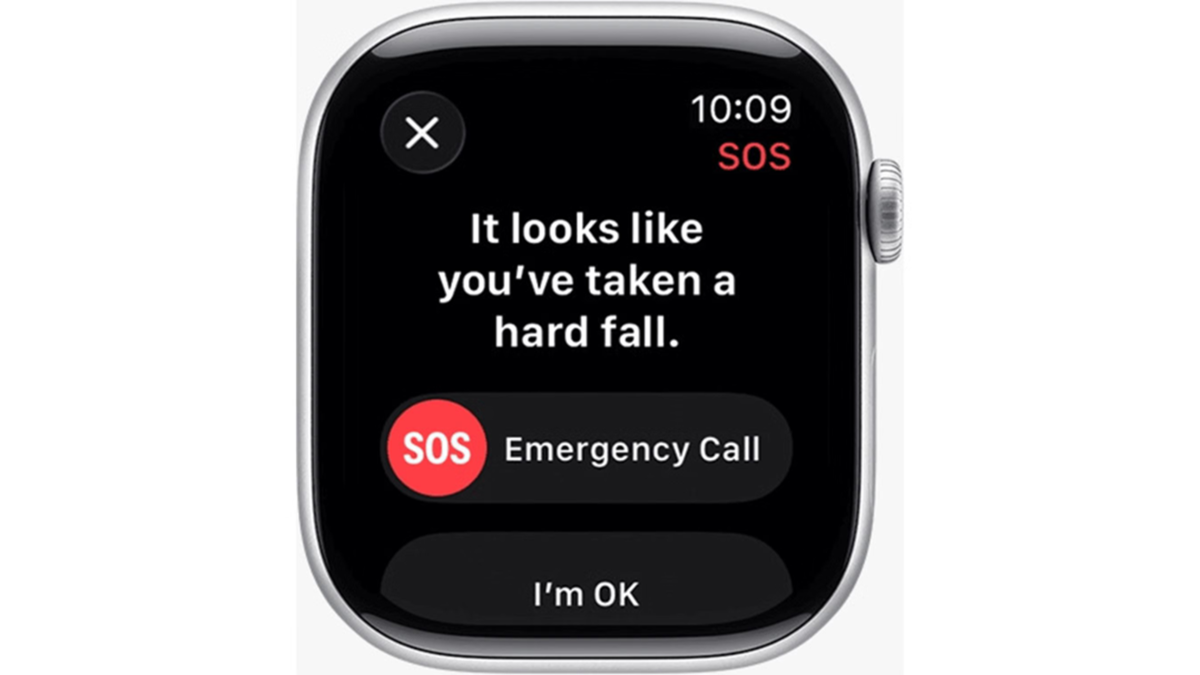
Apple Watch Emergency SOS: Smartwatches are no longer just for checking the time or tracking fitness; they have proven instrumental in saving lives on numerous occasions. An incident from Ohio, USA, has highlighted this capability, prompting a rethink of the role technology plays in our lives. A resident credits his Apple Watch with saving his life; after he collapsed outside his home, the watch automatically contacted emergency services, ensuring timely assistance.
Apple Watch saved life: What happened that day?
Mohammad Islam, an Ohio resident, had taken the day off work because he was feeling unwell. While stepping out to take out the trash, he suddenly collapsed outside his home. He recounted experiencing shortness of breath, severe pain near his ear, and significant difficulty walking. He was completely alone at home when he fell and has no idea how long he lay unconscious on the ground.
Sharing his ordeal with a media outlet, he said, "I don't know how long I lay there. Suddenly, I opened my eyes; I was on the ground and drenched in sweat. I tried to get up but couldn't. There was a chair nearby, and I tried to pull myself up to sit on it. That’s when I heard the sound of an ambulance siren."
When the paramedic team arrived and transported him to the hospital, doctors at the University of Cincinnati discovered blood clots in his lungs. Mohammad Islam says he is still trying to understand exactly what happened and how he survived. He credits the paramedics' swift response and the Apple Watch's automatic emergency call feature entirely for saving his life.
Apple Watch safety feature: What is this Apple feature? This Apple Watch feature is called "Fall Detection," and it is specifically designed to detect when a person falls suddenly.
This feature is available on the Apple Watch SE (and later models), Apple Watch Series 4 (and later models), and Apple Watch Ultra.
Apple Watch Emergency Call: How does the Fall Detection feature work?
As soon as the Apple Watch detects a hard fall, it taps the user's wrist, sounds an alarm, and displays an alert on the screen.
If the person moves normally after the fall, the watch does not make an emergency call; however, if the watch detects that the person remains motionless for about a minute, it initiates a 30-second countdown.
When the countdown begins, the watch continuously taps the wrist, emits a loud alert sound, and displays a warning on the screen. If the user does not respond, the Apple Watch automatically calls emergency services.
If there is no response from the user by the time the 30-second countdown ends, the watch automatically calls emergency services (such as 911 or the local emergency number). It also shares the person's precise location and immediately sends a message to the user's emergency contacts.
Age Limit and Settings: How to enable this feature?
For users aged 55 and older: A key highlight of this feature is that it is enabled by default (automatically turned on) for users aged 55 and older; there is no need to manually change any settings to activate it.
For users aged 18 to 54: For individuals between the ages of 18 and 54, this feature must be enabled manually. To do this, the user must first open the Watch app on their iPhone and navigate to the Emergency SOS settings. From there, select the "Always On" option.
Disclaimer: This content has been sourced and edited from Amar Ujala. While we have made modifications for clarity and presentation, the original content belongs to its respective authors and website. We do not claim ownership of the content.
