
Adding Aadhaar to Google Wallet is Now Easy: Here's the Complete Guide and Its Benefits..
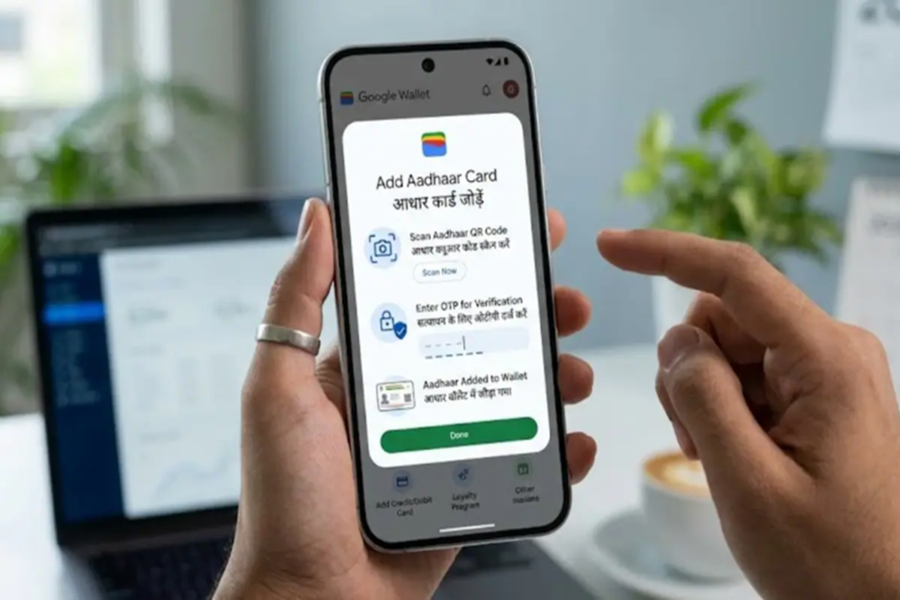
Google has launched a new feature in India, allowing users to save their Aadhaar Card in a digital format within Google Wallet. This means you can now securely store your identity on your phone and access it with ease whenever needed. To add your Aadhaar to Google Wallet, you must have a smartphone running Android 9 or a newer version. Additionally, it is mandatory to have a screen lock (PIN, pattern, or fingerprint) enabled on your phone. Furthermore, the mAadhaar app must be installed, and you must be logged into it.
How to Add Your Aadhaar Card?
First, open Google Wallet on your phone.
Now, tap on the 'Add' option and select 'Aadhaar Card' from the list of IDs.
Next, you will be redirected to the mAadhaar app, where you will need to log in and verify your identity.
After verification, tap on 'Add to Wallet' and select Google Wallet.
Then, click on 'Continue' and follow the on-screen instructions.
Your request may remain in a 'Reviewing' status for a short while; once the verification process is complete, your Aadhaar card will be added to your Wallet.
What Features Are Available?
With this digital Aadhaar, your personal information remains secure and encrypted. You can share your identity details whenever necessary, though this is entirely contingent upon your explicit permission. This feature facilitates online verification and also allows you to present your identity offline via a QR code or NFC.
How to View Your Aadhaar in Google Wallet?
Whenever you need to present your Aadhaar, simply open Google Wallet. Scroll down to locate your Aadhaar Card and tap on it. You can then view your identity details and, if required, share them via a QR code or NFC. Before sharing, you will also be shown exactly which information is being shared, ensuring that you remain in complete control.
Disclaimer: This content has been sourced and edited from NDTV India. While we have made modifications for clarity and presentation, the original content belongs to its respective authors and website. We do not claim ownership of the content.
