
Add Google Maps Plus Code to your address, and say goodbye to worries about incorrect addresses; it will provide the exact location..
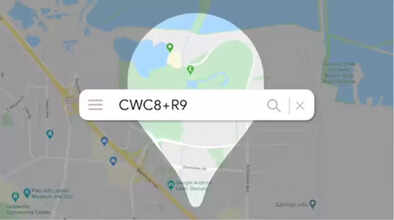
How to Use Google Maps Plus Code: Does it ever happen to you that when you share your address with someone, the correct location doesn't open on Google Maps? This often causes problems with delivering couriers or online orders to the correct address. In such cases, you can add Google's special Plus Code to your address. Doing so will ensure your address opens to the exact location on Google Maps. After this, you will easily receive your online orders at the correct place. Note that the Google Maps Plus Code needs to be added to your address after the pin code. Let's understand its benefits and how to use it in detail.
What is Google Maps' Plus Code?
You can consider Google Maps' Plus Code as a special type of digital address. This address provides the precise location of places where postal addresses are not available. This code is a short combination of letters and numbers, such as 7JWVF23+4X, and is available in the Google Maps app itself.
This code is designed for reaching villages, forests, hilly areas, or new colonies where there are no house numbers or street names. You can send this code to someone to provide them with the exact location to reach you on Google Maps. You can also include this code in your address.
Where to include it in your address
If you add the Google Maps Plus Code to your address on online shopping apps, the delivery person will never have any problem delivering your goods. You can copy the code provided in the Google Maps app for your location and add it after the pin code in your address. This will make your address show the exact location on Google Maps. Let's understand how to find it.
How to find your Plus Code
If you want to find your Plus Code on Google Maps, first open the Google Maps app on your phone.
Then go to your location. Your location is shown as a blue dot on the map. If you want to find the precise code for a location other than your current location, you need to open that location on the map. Then, press and hold on the location for a few moments, which will open the details page for that location.
In the "About" section, below the location's address, you will see the code. Copy this code and paste it into your address after the pin code. For example, House Number XX, Street Number Y, Area Z, Bihar 843301, HGV2+M76 Sitamarhi, Bihar, India (Paste the code in your address in the same way it is used in this example, after the pincode.)
This way, you can make your address easily searchable on Google Maps.
Important things to keep in mind:
For your Plus Code to work correctly, it is essential that you copy the Plus Code of the correct location. To ensure this, after touching and holding the location for a few moments, carefully check the details that appear about the location. Additionally, if a Street View is available for the location, check to make sure you are copying the Plus Code for the correct place.
Disclaimer: This content has been sourced and edited from Navbharat Times. While we have made modifications for clarity and presentation, the original content belongs to its respective authors and website. We do not claim ownership of the content.
