
Aadhaar Update: Learn how to download your Aadhaar card on your phone in minutes; it will be useful in an emergency..
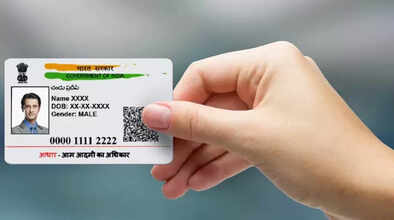
Now you won't need to search for your Aadhaar card for important work, because your Aadhaar card will be available on your WhatsApp. Yes, the government recently launched an amazing service that allows you to download your official Aadhaar card in PDF format in minutes using the MyGov Helpdesk chatbot.
The MyGov Helpdesk chatbot is linked to DigiLocker. This method is not only extremely easy but also saves you the hassle of visiting the UIDAI website and going through the lengthy process. Let's walk you through the complete step-by-step process of downloading your official Aadhaar card through WhatsApp.
Before starting this simple process, you just need to ensure two things:
Registered mobile number: Your WhatsApp number must be the same as the one linked to your Aadhaar card.
DigiLocker account: You must have an account on DigiLocker, and it must also be linked to your Aadhaar. If you don't have an account, you can create one in minutes by visiting the DigiLocker website or app.
If these two things are ready, you're all set to download your Aadhaar card.
Step-by-step process to download your Aadhaar card on WhatsApp:
First, save the official WhatsApp number of the MyGov Helpdesk, +91-9013151515, to your phone's contacts. Open WhatsApp and send 'Hi' or 'Namaste' to this number.
The chatbot will then provide you with several options, from which you must select 'DigiLocker Services'. The chatbot will then ask you for your 12-digit Aadhaar number. Type it in and send it. An OTP will be sent to your registered mobile number. Enter that OTP in the WhatsApp chat for verification.
Once verified, you'll see a list of your documents stored in DigiLocker. Select 'Aadhaar Card'. That's it! Your Aadhaar card will instantly appear in your WhatsApp chat as a PDF file.
Keep these things in mind.
There are a few things to keep in mind when using this feature. First, this service is completely secure. The PDF you receive is digitally signed and has the same value as a printed Aadhaar card. Second, this service is available 24/7, meaning you can download your Aadhaar card any time, day or night. This eliminates the need to visit the UIDAI portal, enter a complex CAPTCHA, or remember another password.
Disclaimer: This content has been sourced and edited from Dainik Jagran. While we have made modifications for clarity and presentation, the original content belongs to its respective authors and website. We do not claim ownership of the content.
