
Aadhaar Tips: Has your Aadhaar card been blocked? How to check if your Aadhaar number is active?
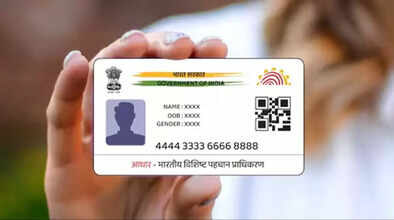
The Aadhaar card has become the most essential document for every small and large task. Whether it's opening a bank account, getting a mobile SIM, availing government benefits, or any other form of identification, the Aadhaar number is required everywhere. In such a situation, if the Aadhaar card is accidentally deactivated, many important tasks can be disrupted. Recently, UIDAI announced that over 20 million Aadhaar numbers have been deactivated in the country. Hearing this, many people are wondering if their Aadhaar number has also been deactivated.
Checking Aadhaar Status is Easy
If Aadhaar is deactivated, banking, subsidies, pensions, mobile SIMs, and all other identity-related tasks can be affected. Therefore, it's important to know whether your Aadhaar is currently active or inactive. Fortunately, checking your Aadhaar status is very easy and takes just a few minutes.
Why were over 20 million Aadhaar numbers deactivated?
UIDAI has taken this step to keep the Aadhaar system clean and updated. The government stated that Aadhaar numbers of deceased individuals are being deactivated to prevent misuse.
The government has collected data from various agencies, including the Registrar General, state governments, the ration system, and social assistance programs. UIDAI is now preparing to obtain information from banks and insurance companies to ensure accurate and up-to-date records.
How to check if your Aadhaar is active or inactive?
Checking your Aadhaar status is very easy. You can check whether your Aadhaar is active in just a minute using your mobile or computer.
Check with UIDAI's Verify Email/Mobile service.
If you enter your Aadhaar number on the UIDAI website and request an OTP via your mobile or email, and receive the OTP immediately, it means your Aadhaar is active. If the OTP doesn't arrive or the screen displays "Aadhaar Deactivated," it may be deactivated.
Check your Aadhaar status with the mAadhaar app.
If your profile opens upon logging into the mAadhaar app, it means your Aadhaar is active.
If you can't log in to the app, your Aadhaar is likely deactivated.
Check your status directly on the Resident UIDAI Portal
Entering your Aadhaar number on the Resident Portal clearly indicates whether your Aadhaar is active or deactivated.
Call the UIDAI Helpline to check your status.
If you don't want to check online, call the UIDAI toll-free number 1947 and provide your Aadhaar number. Customer care will inform you of the status.
Why is it important to check your Aadhaar status?
Aadhaar is used in everyday tasks. Therefore, it's important to know whether your Aadhaar is in good condition. If your Aadhaar is accidentally deactivated, many important tasks can be hampered.
Disclaimer: This content has been sourced and edited from NDTV India. While we have made modifications for clarity and presentation, the original content belongs to its respective authors and website. We do not claim ownership of the content.
