
Aadhaar Lock Feature: How to Secure Your Aadhaar from Misuse with Lock and Unlock Options
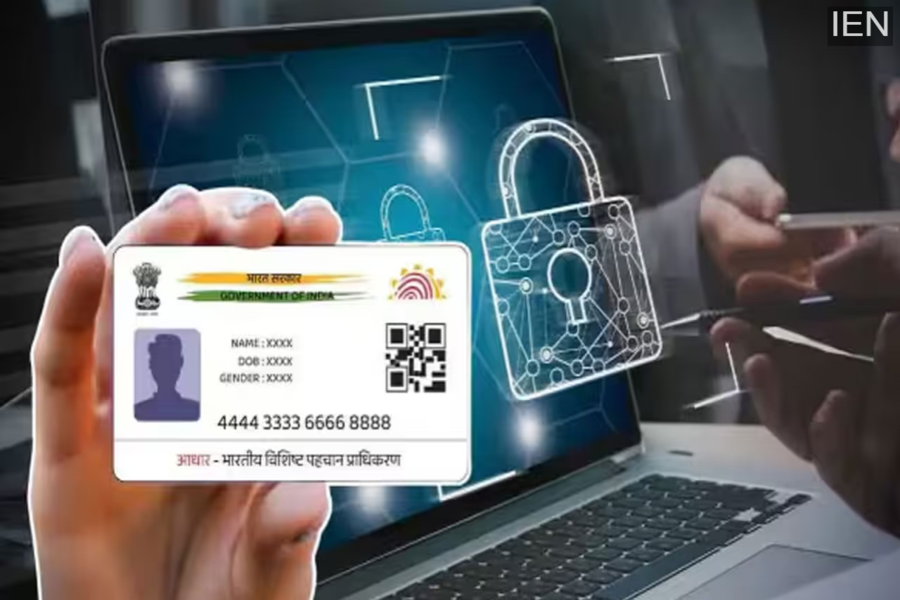
With Aadhaar becoming a key identity document for banking, government schemes, mobile connections, and digital verification, protecting personal data has become more important than ever. To address growing concerns around Aadhaar-related fraud and data misuse, the Unique Identification Authority of India (UIDAI) has introduced a highly useful Aadhaar Lock and Unlock feature. This security option gives Aadhaar holders complete control over when and how their Aadhaar number can be used.
If you are worried about unauthorized use of your Aadhaar, this feature can help you keep your identity safe. Here’s a detailed explanation of what the Aadhaar Lock feature is, why it is important, and how you can lock or unlock your Aadhaar step by step.
Why Is It Important to Lock Your Aadhaar?
Today, Aadhaar is linked to almost every essential service, including:
-
Bank accounts and financial services
-
Government welfare schemes
-
Mobile SIM cards
-
KYC for apps and online platforms
-
Digital authentication services
Because Aadhaar contains sensitive personal and biometric data, any misuse can lead to serious consequences such as identity theft or financial fraud. Understanding this risk, UIDAI introduced the Aadhaar Lock-Unlock facility so that citizens themselves can decide when Aadhaar authentication should be allowed.
By locking your Aadhaar, you can significantly reduce the chances of unauthorized access or misuse.
What Is the Aadhaar Lock and Unlock Feature?
The Aadhaar Lock-Unlock feature allows you to temporarily disable authentication using your Aadhaar number (UID). Once your Aadhaar is locked:
-
Biometric authentication (fingerprint and iris) is disabled
-
Demographic authentication is blocked
-
OTP-based Aadhaar authentication is restricted
This means no organization or service provider can authenticate your identity using your Aadhaar number without your permission. Even UID, UID Token, and VID-based direct Aadhaar authentication will not work while the Aadhaar is locked.
However, UIDAI allows users to continue accessing services through a Virtual ID (VID), ensuring convenience without compromising security.
What Is a Virtual ID (VID)?
A Virtual ID (VID) is a temporary, 16-digit random number generated against your Aadhaar number. It is linked to your Aadhaar but does not reveal the actual Aadhaar number during authentication.
Key benefits of VID include:
-
Your real Aadhaar number remains private
-
Authentication is still possible
-
Enhanced privacy and data protection
Using VID is one of the safest ways to avail Aadhaar-based services while keeping your UID secure.
How to Lock Your Aadhaar: Method 1 (Using UIDAI Website)
You can lock your Aadhaar online through the official UIDAI portal by following these steps:
-
Visit myaadhaar.uidai.gov.in
-
Go to the ‘My Aadhaar’ section
-
Click on ‘Aadhaar Lock & Unlock’
-
Select the ‘UID Lock’ option
-
Enter your Aadhaar number, name, and PIN code
-
Choose OTP or TOTP via the mAadhaar app
-
Enter the OTP/TOTP and submit
Once completed, you will receive a confirmation message stating that your Aadhaar has been successfully locked.
How to Lock Your Aadhaar: Method 2 (Using mAadhaar App)
Another convenient way to lock your Aadhaar is through the mAadhaar mobile app:
-
Download the mAadhaar app from Google Play Store or Apple App Store
-
Log in using your registered mobile number
-
Go to the ‘Services’ section
-
Select ‘Aadhaar Lock/Unlock’
-
Tap on ‘Lock Aadhaar’
-
Enter the OTP to complete the process
Your Aadhaar will be locked instantly after verification.
How to Unlock Your Aadhaar When Needed
If you want to use Aadhaar authentication again, you must first unlock it. To unlock your Aadhaar:
-
You need your latest 16-digit Virtual ID (VID)
-
Your registered mobile number must be active
Steps to unlock Aadhaar:
-
Visit resident.uidai.gov.in/aadhaar-lockunlock
-
Choose the ‘Unlock UID’ option
-
Enter your latest VID and security code
-
Select OTP or TOTP
-
Enter the OTP and submit
Your Aadhaar will be unlocked successfully and ready for authentication.
If you do not remember your VID, you can generate a new VID easily through the UIDAI website or via SMS services.
Final Thoughts
The Aadhaar Lock-Unlock feature is a powerful security tool designed to protect citizens from identity theft and data misuse. By locking your Aadhaar when it is not required, you ensure that no one can authenticate your identity without your consent. At the same time, the option to unlock it whenever needed makes the system flexible and user-friendly.
In an age of rising digital fraud, using the Aadhaar Lock feature is a smart and responsible step toward safeguarding your personal information.
