
A smart plug can make your life easier! But one wrong setting could take a heavy toll on your privacy..
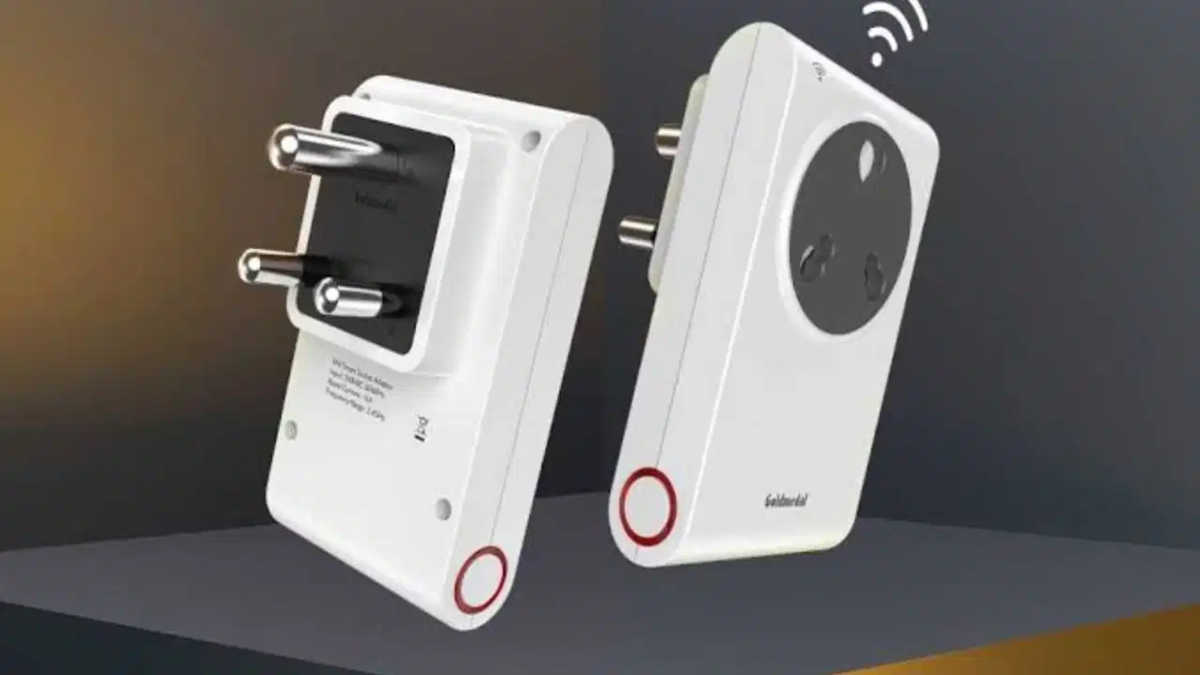
Nowadays, people are buying various gadgets to make their homes "smart." But did you know that with just a small "smart plug," you can control many of your household electrical appliances using your mobile phone? It is plugged into a wall socket, and the electrical device is then connected to it. Once connected to Wi-Fi, you can turn the device on or off via your phone, or by using voice assistants like Alexa or Google Assistant. These plugs can cost less than ₹1,000 and take only about 5 minutes to set up. However, while considering the benefits, it is also important to keep privacy and security in mind.
What can you do with a smart plug?
You can use a smart plug to set a schedule—for example, turning on your geyser 20 minutes before a bath and switching it off afterward. This helps prevent unnecessary electricity consumption. Many smart plugs also track power usage, allowing you to identify which appliances in your home are consuming the most electricity.
If you realize after leaving home that you’ve left a lamp or another device switched on, you can turn it off remotely using your mobile phone. That said, it is not safe to leave appliances like irons or heaters running unattended. Keep in mind that a smart plug only controls the power supply (turning it on or off); it cannot, for instance, change the temperature setting of an air conditioner or the program settings of a washing machine. Furthermore, some devices may not automatically turn back on when the power supply is restored.
3 Useful Smart Plugs
TP-Link Tapo P110 16A: This smart plug allows you to monitor power consumption and estimated costs. It includes features like timers, scheduling, and voice control. It is priced at ₹853 and has an average rating of 4.4 stars from over 3,000 buyers. Wipro 16A Smart Plug: Designed for high-power appliances like geysers, air conditioners, and microwaves, this plug supports energy monitoring and scheduling. It is priced at ₹904 and has received over 19,000 ratings, with an average score of 4.2 stars.
Qubo 16A Smart Plug: A key feature of this plug is its dual Wi-Fi and Bluetooth connectivity. Even when the internet is down, it can be controlled locally via Bluetooth. It is priced at ₹899 and has an average rating of 3.9 stars.
Be sure to check these privacy settings for your smart plug:
Secure your Wi-Fi: Use a strong password and, if possible, set up a separate guest network for your smart devices.
Keep software updated: Enable automatic updates within the app to ensure security vulnerabilities are patched.
Review app permissions: Avoid granting unnecessary permissions, such as access to your contacts or photos. Also, check location permissions after the initial setup.
Enable two-factor authentication: If available for your account, be sure to turn it on.
Disable data sharing: Turn off any unnecessary marketing or data-sharing options in the app’s privacy settings.
Remove old devices: Before selling or discontinuing the use of a smart plug, reset it and remove it from your account.
What happens when the internet goes down?
Most Wi-Fi smart plugs feature a physical button that remains functional even without an internet connection. However, whether scheduled tasks will continue to run without internet access depends on the specific model.
Disclaimer: This content has been sourced and edited from TV9. While we have made modifications for clarity and presentation, the original content belongs to its respective authors and website. We do not claim ownership of the content.
