
A Glimpse of Smart Glasses at Google I/O 2026: Get These Impressive Features Powered by Gemini AI..
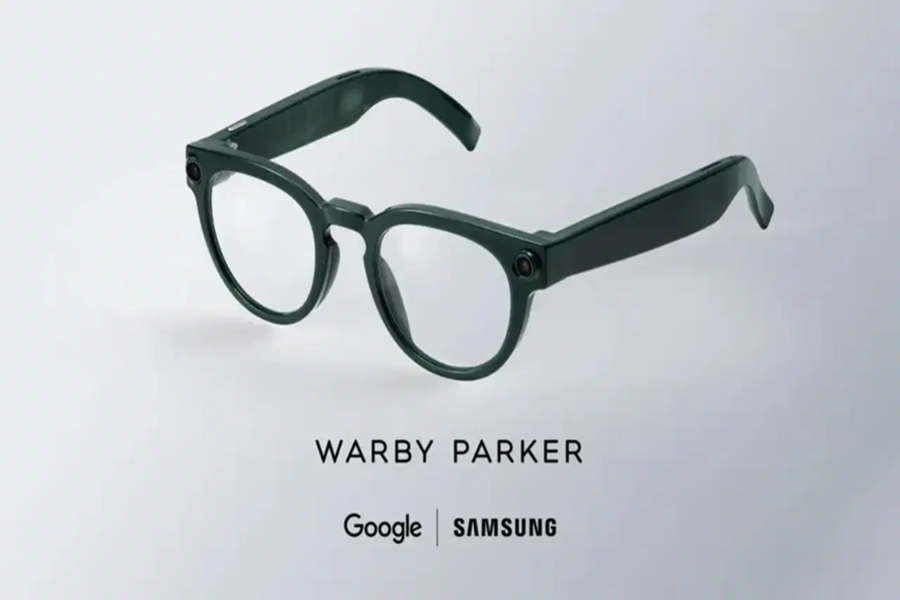
Google and Samsung have offered a glimpse of their next-generation smart glasses during the Google I/O 2026 keynote. This product is part of the expanding Android XR ecosystem, designed specifically for Extended Reality (XR) devices. The companies announced two categories of AI-powered glasses—Audio Glasses and Display Glasses—both of which are powered by Gemini AI. The goal of these smart glasses is to provide users with hands-free assistance, eliminating the need to constantly check their smartphones.
**Features of the Smart Glasses**
According to a Google blog post, there are two categories of this intelligent eyewear. The first category comprises Audio Glasses—similar to the Ray-Ban Meta glasses—which facilitate spoken interactions via built-in speakers. The second category consists of smart glasses featuring a display, capable of presenting users with contextual visual information directly within their field of view.
**When Will the Smart Glasses Be Available, and What Will They Cost?**
Google has confirmed that the audio-focused variant will be the first to launch, arriving later this year. Both companies have partnered with Gentle Monster and Warby Parker for the initial lineup of smart glasses, with the full collection slated for release toward the end of the year. Currently, no information regarding pricing has been disclosed.
The smart glasses are designed to function as companion devices that connect to a smartphone. For instance, users can translate text found on menus or street signs directly through the glasses. Google stated that the glasses utilize private, near-ear speakers for audio playback, calls, and music streaming. Consequently, these glasses will provide users with comprehensive updates on messages, calls, and notification summaries without requiring them to take out their phones. They also feature real-time translation support capable of translating spoken conversations while matching the original speaker's tone and pitch.
**How to Activate the Smart Glasses**
Gemini can be activated by saying "Hey Google" or by tapping on the side of the glasses' frame. Once activated, the AI assistant can analyze its surroundings, answer questions about objects and locations, and assist with everyday tasks.
This means users can ask Gemini questions about nearby restaurants, weather conditions, parking signs, or other objects within their field of view. The glasses can also provide turn-by-turn navigation directions based on the user's location and orientation. Furthermore, Gemini is capable of adding stops to a route or suggesting nearby restaurants based on user preferences. Google has confirmed that the glasses support both Android and iOS devices.
Disclaimer: This content has been sourced and edited from TV9. While we have made modifications for clarity and presentation, the original content belongs to its respective authors and website. We do not claim ownership of the content.
